
If you're looking for Mailinator alternatives, you're probably not looking for just another temporary email service — you want an inbox that fits the job without the same limitations.
Verizon's 2025 Data Breach Investigations Report analyzed more than 22,000 security incidents and found compromised credentials remained a major path into accounts and systems.
That makes disposable email useful for low-risk signups and one-time verification — but not every temporary inbox works the same way. Mailinator is fast and convenient, yet its free public inboxes trade privacy and retention for that simplicity.
So what should you use when Mailinator isn't the right fit? We tested 8 free alternatives in August 2026, comparing privacy, retention, domain options, reply support, and real-world signup use.
Here are the ones worth using — and what each is actually best at.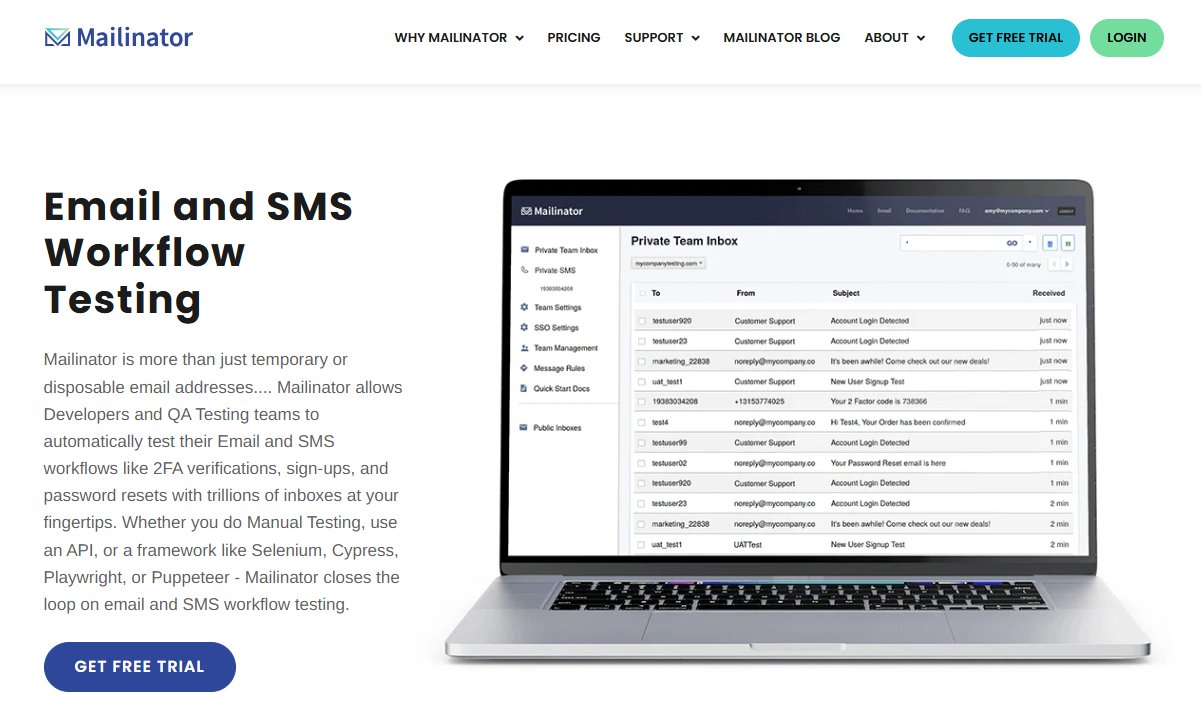
Quick Answer: The Best Mailinator Alternatives
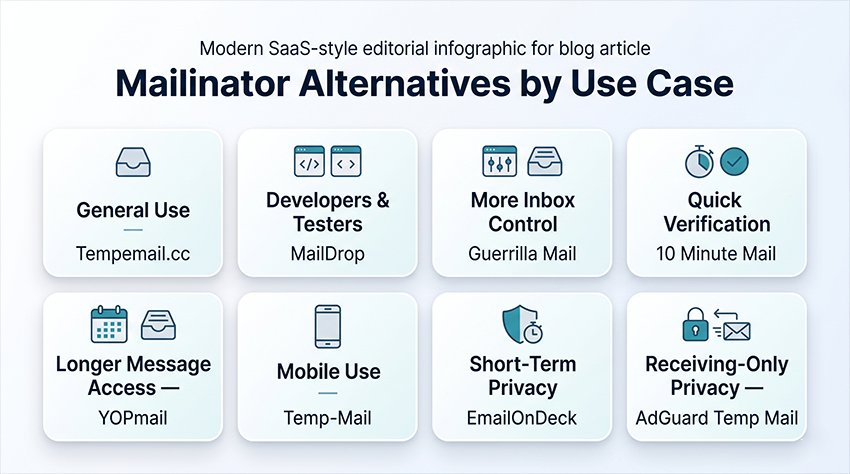
If you just want the short answer: Tempemail.cc is our best overall pick for quick signups and verification emails. MailDrop is better for developers, while YOPmail wins if email retention matters most.
Here's how the top five compare. We verified every figure against each service's official site in August 2026.
| Tool | Best for | Retention | Private inbox | Reply | Signup |
|---|---|---|---|---|---|
| Tempemail.cc | Quick signups | User-controlled | Yes | No | No |
| MailDrop | Developer testing | 24h | No | No | No |
| Guerrilla Mail | Replying | 1h | No | Yes | No |
| 10 Minute Mail | One-time codes | Up to 100 min | Yes | No | No |
| YOPmail | Long retention | 8 days | No | Yes | No |
A few things stand out. MailDrop clears any inbox that gets no new mail for 24 hours and caps it at 10 messages, so it's built for quick tests, not storage. Guerrilla Mail deletes every message after one hour, but it's one of the few that lets you reply and forward.
YOPmail keeps mail the longest, but its inboxes have no password — anyone who guesses the name can read it.
Why Look for a Mailinator Alternative?
Mailinator isn't necessarily the wrong tool. It's the wrong tool when you need privacy, predictable retention, or a consumer-friendly throwaway inbox. The service has pivoted toward QA and developer testing, and its free public tier reflects that. Here's where that hurts regular users.
Public inboxes
This is not a bug — it is the design. Mailinator's FAQ says it plainly: every possible address @mailinator.com already exists, there is no signup and no login, and "anyone can read an email without signing up, logging in, or sharing personal information."
In practice: type your inbox name into Mailinator's Public Inbox page, and the mail is there. So is it for anyone else who guesses the same name. If your verification email contains a password, a reset link, or an order number, anyone can read it too.
What you need instead: a service that gives you a private inbox, not a public one.
Short message retention
Mailinator's own FAQ: public emails "last several hours, and then the system auto-deletes them. Once deleted, they're gone for good."
That is fine for a one-time code. It is a problem if the message arrives late, or if you need to check it again tomorrow.
The short retention turns into a real loss when password recovery is involved. Anecdotal reports on Reddit show why this can become frustrating: users have reported problems receiving password-reset emails after accounts were tied to temporary or disposable addresses. That doesn't prove Mailinator caused the lockout, but it highlights the underlying risk — if the inbox disappears, recovery depends on an email address you no longer control.
What you need instead: an address that stays alive long enough to receive recovery mail later.
Disposable domains get rejected
Mailinator domains are also classified as disposable by public email-domain blocklists. For example, the widely used disposable-email-domains project identifies mailinator.com as a disposable domain.
That matters because many signup systems use disposable-domain lists or similar fraud filters to reject temporary addresses. Even Mailinator admits it on its own homepage: "Test emails get blocked when platforms reject disposable or public domains."
What you need instead: a service with multiple domains, so you have another option if one address is rejected.
Receive-only limitations
From the top of Mailinator's FAQ: "Mailinator is a receive-only email system, so it cannot send email." The free public system also blocks attachments and applies size and rate limits.
So a signup that requires you to reply, or a confirmation that arrives as a PDF, simply fails — with no error telling you why.
What you need instead: a temp mail service that at least handles attachments, if you ever need more than a plain verification code.
Isn't the fix in Mailinator's own plans?
Partly. Mailinator now offers a free "Verified Pro" plan that includes private inboxes, a private testing domain, and attachments — but it requires verification and is designed around QA and developer testing rather than casual throwaway signups.
So the real question isn't simply "Is Mailinator free?" It is: which Mailinator tier are you actually getting? If you just want a quick disposable inbox with no account or verification, a consumer-focused alternative may still be easier.
Different needs for developers vs regular users
Here's the honest framing: Mailinator's public inboxes are genuinely useful for QA teams and developers who need to inspect test emails. For that job, it remains a solid tool.
The alternatives below are better when you're a regular user — someone who needs a working throwaway address for a signup, with a private inbox, no verification hoops, and no blocklisted domain.
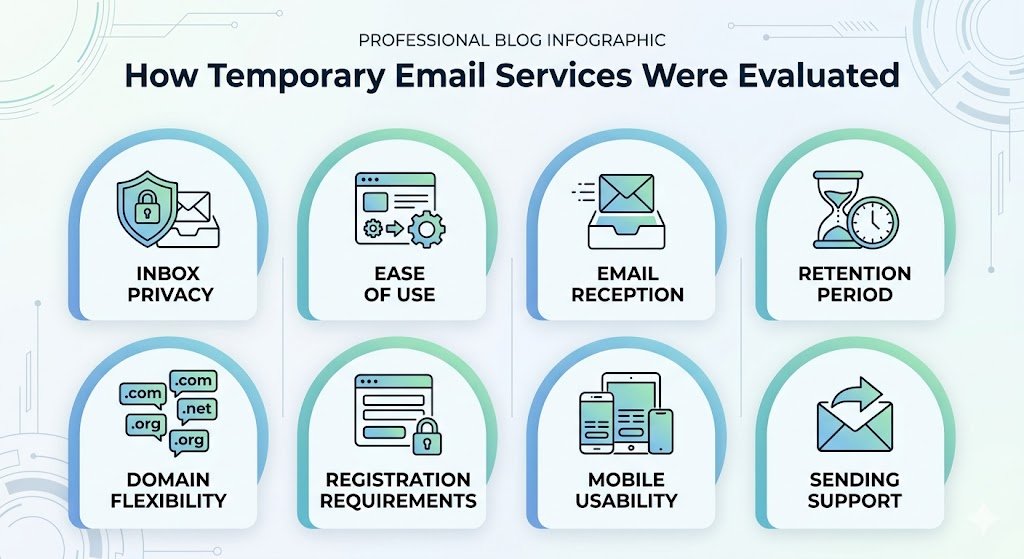
How We Tested These Mailinator Alternatives
We checked each service in August 2026 using a fresh desktop browser session. For each tool, we looked at address creation, inbox privacy, message retention, sending/reply support, attachments, domain options, and whether the service required registration. Where a limit was stated by the provider, we used the provider's published figure rather than estimating it ourselves.
The 8 Best Mailinator Alternatives in 2026
Every tool below follows the same format: what it does, what we liked, the catch, and when to skip it. The same standard applies to all eight — including our own service.
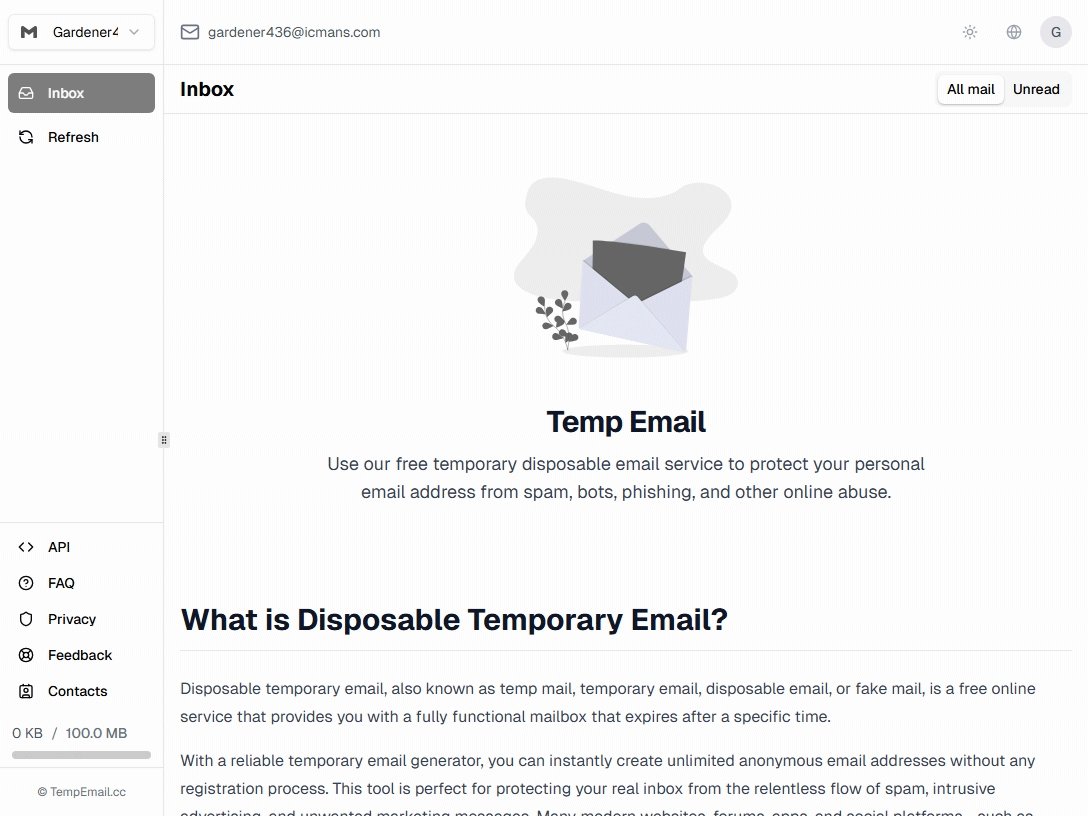
1. Tempemail.cc — Best Overall
A no-signup temp inbox where you control the address and the lifespan.
What we liked: No registration, and you can pick your own username or let it auto-generate one. The inbox auto-refreshes, so verification codes show up without you hitting reload. You can delete the entire mailbox with one click whenever you're done.
The catch: It's receive-only — you can't reply to emails. And like most free disposable inboxes, it isn't designed for long-term account recovery.
Best for: quick signups and verification codes you want gone on your schedule.
Skip it if: you need to send or reply to email.
2. MailDrop — Best for Developers
A free, developer-friendly inbox with an open API — and hard limits.
What we liked: Make up any prefix @maildrop.cc and the inbox exists instantly. MailDrop has a free public GraphQL API (api.maildrop.cc) with official curl examples — unique among the tools we tested. Its Heluna filter blocks 90%+ of spam, per the site.
The catch: The official docs state the trade-offs: inboxes auto-clear after 24 hours without new mail, hold at most 10 messages, and strip all attachments.
Best for: developers testing email flows in apps.
Skip it if: you expect attachments or more than 10 messages.
3. Guerrilla Mail — Best for Replies
The oldest service here (running since 2006) — and one of the few that lets you reply.
What we liked: A random address with no signup, and 11 domains to switch between, including sharklasers.com and grr.la. You can reply to and forward messages, which most temp mail services block.
The catch: All emails are deleted after 1 hour. And the inbox is public to anyone who guesses your ID — though you can scramble the address to make guessing harder.
Best for: short exchanges where you need to reply, on many domains.
Skip it if: you might need the email later — 1 hour goes fast.
4. 10 Minute Mail — Best for One-Time Codes
A private, random inbox on a strict timer — built for one-shot signups.
What we liked: Your address expires in 10 minutes, and you can extend up to 100 minutes total. Two privacy wins over Mailinator's default: addresses are randomly generated (no custom names to guess), and others can't read your mail. The service also rotates its domain regularly.
The catch: The timer is strict. Just-expired mailboxes can be recovered briefly, but past the limit, the mail is gone — including any code that arrives late.
Best for: one quick verification code, with a private inbox.
Skip it if: the email might arrive late.

5. YOPmail — Best for Long Retention
The longest retention on this list: every inbox holds mail for 8 days, while most rivals delete within hours.
What we liked: No registration — type any inbox name and it already exists. Messages are kept 8 days, and inboxes themselves are never deleted. YOPmail adds a new domain name every day, and you can reply to messages.
The catch: The flip side of "no password" — anyone who types your inbox name can read your mail. YOPmail itself suggests unusual inbox names or aliases because of this.
Best for: signups where you might need the emails again within a week.
Skip it if: you need privacy.
6. Temp-Mail — Best-Known Brand
The most recognizable temp mail brand, with mobile apps for Android and iOS.
What we liked: No registration. The address is generated automatically, and you can change or delete it from the home page. Officially, the address stays valid "until you delete it or until the service changes the domain list" — flexible compared with hard timers. The mobile apps make it the easiest pick if you grab codes on your phone.
The catch: Sending email is completely disabled. The site pushes a Premium tier and shows ads — including a large eSIM banner on the homepage — and it publishes no exact retention time, so you can't rely on a stated window.
Best for: a familiar name with mobile apps.
Skip it if: you want zero ads or a stated retention period.
7. EmailOnDeck — Best for Ephemeral Privacy
A "two easy steps" service where nothing is meant to survive.
What we liked: Creating an address takes two clicks, and the service is built for disposability: servers and logs are wiped continuously with no backups, and a trash-button click deletes everything with no recovery. The homepage counter shows over 207 million temporary emails processed, and there's a PRO tier and API if you outgrow the free version.
The catch: An hCaptcha check comes first — extra friction most rivals do not have. Emails last "most of the day" in the site's own words; it admits there is no precise time, and closing your browser can end access sooner.
Best for: privacy-focused one-off signups where nothing should survive.
Skip it if: you hate captchas or need a predictable lifetime.
8. AdGuard Temp Mail — Best Privacy-Brand Option
A free, no-account temp inbox from a company whose main business is blocking trackers.
What we liked: The FAQ gives exact retention rules, which is rare: an unused inbox is deleted after 7 days, and an active one stays alive up to 6 months — the maximum. The inbox is tied to your browser session rather than a public name, and AdGuard states that it hides your IP address from senders.
The catch: It is receive-only, does not accept attachments, and you cannot pick your own domain. Generating a new address deletes the old inbox immediately, with no recovery — and the FAQ itself warns: "Do not use AdGuard Temp Mail for important accounts or data."
Best for: people who already trust AdGuard and want a temp inbox from a known privacy company.
Skip it if: you want attachments, custom domains, or replies.
Mailinator Alternatives Compared
| Tool | Privacy | Retention | Reply | Attachments | Custom address | Multiple domains | Signup |
|---|---|---|---|---|---|---|---|
| Tempemail.cc | Private | User-controlled | No | No | Yes | Yes | No |
| MailDrop | Public | 24h | No | No | Yes | No | No |
| Guerrilla Mail | Public | 1h | Yes | No | No | Yes (11) | No |
| 10 Minute Mail | Private | Up to 100 min | No | No | No | Rotates | No |
| YOPmail | Public | 8 days | Yes | No | Yes | Yes (daily) | No |
| Temp-Mail | Public | Not stated | No | No | No | Yes | No |
| EmailOnDeck | Private-ish* | "Most of the day" | No | No | No | Yes | Captcha |
| AdGuard Temp Mail | Private | 7 days–6 months | No | No | No | No | No |
*EmailOnDeck's inbox isn't publicly listed, but access depends on your session and saved token.
Which Mailinator Alternative Should You Use?
For a private inbox
Use Tempemail.cc or AdGuard Temp Mail. Both give you an inbox that isn't a public name anyone can type in. Tempemail.cc is faster to start; AdGuard adds its privacy-brand reputation and longer retention.
For one verification code
Use 10 Minute Mail. It's built for exactly this — a private, random address that lives long enough for one code, then disappears. If the code doesn't arrive, generate a new address and try again. Nothing to clean up.
For returning to the same inbox tomorrow
Use YOPmail. Most temp mail addresses vanish within hours. YOPmail keeps messages for 8 days and never deletes the inbox itself. Just use a long, unguessable name, since the inbox has no password.
For replying to an email
Use Guerrilla Mail or YOPmail. Almost every service here is receive-only. Guerrilla Mail lets you reply and forward — just expect mail to vanish after an hour. YOPmail allows replies too, with far longer retention, at the cost of a public inbox.
For developer testing
Use MailDrop. You can invent any address @maildrop.cc and send mail to it without setup — great for automated tests where you need a predictable inbox name, plus a free GraphQL API. For serious test suites, Mailinator's own public inboxes are actually useful for QA; the alternatives win when you also want a clean web inbox a human can check.
What to Know Before Using a Temporary Email
Temporary email isn't suitable for important accounts. Banks, healthcare, work, government, and any long-term account send mail months later — bills, security alerts, recovery links. No temp inbox will be there to receive it. The moment an account matters, switch it to your real email in the settings.
Some sites block all disposable domains. Signup systems use blocklists and fraud filters, and this affects Mailinator and every alternative here — some just get blocked less often because their domains are newer or less famous. If a site rejects one temp address, try a service with multiple domains before giving up; if it still rejects you, the site is serious — use your real email.
Privacy differs dramatically between services. Public inboxes (Mailinator's free tier, MailDrop, YOPmail, Guerrilla Mail) can be opened by anyone who guesses the address. Private inboxes (10 Minute Mail, AdGuard, browser-tied services) cannot. If your email contains a password, reset link, or order number, this difference is the whole game.
Frequently Asked Questions
Is Mailinator safe to use?
It's fine for low-risk, one-time testing, but its free public inboxes are not private. Anyone who knows the inbox name can read the messages.
Why is Mailinator blocked on some sites?
Public disposable-domain blocklists — like the disposable-email-domains project — classify mailinator.com as disposable. Many signup systems reject domains on such lists automatically.
Does Mailinator still have private inboxes? Is it still free?
Yes to both, with a catch: private inboxes now come through the free "Verified Pro" plan, which requires verification and targets QA and developer testing. The classic no-signup tier remains public-only, with emails auto-deleted after a few hours.
Can I use temp mail for account recovery?
No. Temp inboxes expire, so a password-reset email that arrives late may never be seen. Use a real address for any account you want to keep.
Which Mailinator alternative has private inboxes?
10 Minute Mail generates random private addresses, and AdGuard Temp Mail ties the inbox to your browser session. Tempemail.cc gives you control over the address and one-click deletion.
Do Mailinator alternatives work on sites that block disposable email?
Sometimes. Services with multiple or frequently rotated domains get rejected less often, but no temp mail service can guarantee signup on any specific site — blocklists and fraud filters update constantly.
Are temporary email services legal?
Using a temporary email service is generally not illegal by itself. However, a website may prohibit disposable addresses in its Terms of Service, and using one for fraud, abuse, or other unlawful activity can create separate legal or account consequences.
Final Verdict
Mailinator isn't a bad tool — its public inboxes are simply better suited to quick QA and email testing than everyday signups. If you need something different, choose based on the job rather than the name.
Need one quick verification code? 10 Minute Mail.
Want a more general-purpose inbox? Tempemail.cc.
Need to reply to messages? Guerrilla Mail.
Want emails to stick around for a week? YOPmail.
Testing an email flow? MailDrop.
Whichever option you choose, remember what temporary email is good at: quick, low-risk signups and testing. For anything you may need to recover months from now, use an email address you control long-term.