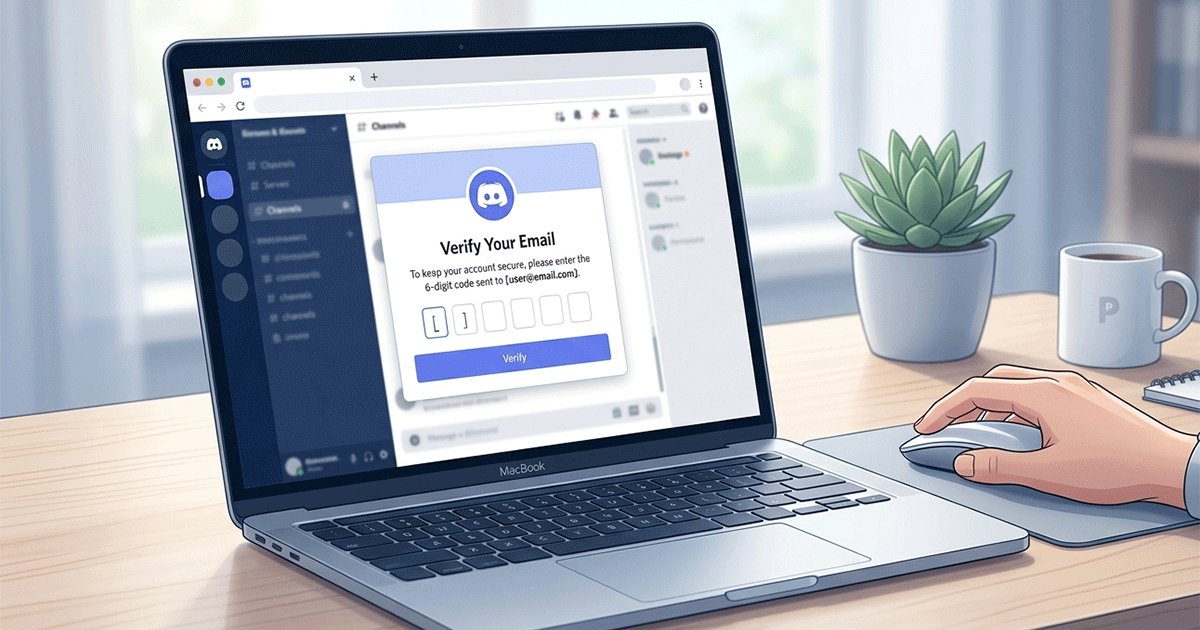
2026 yılında, Temp Mail (Geçici E-posta), Discord'da platforma erişirken e-posta gizliliğini korumak isteyen kullanıcılar için pratik bir araç olmaya devam ediyor. Discord, sunuculara katılmak, sesli kanallara erişmek, doğrudan mesaj göndermek ve iki faktörlü doğrulamayı etkinleştirmek gibi temel özelliklerin kilidini açmak için e-posta doğrulamasını zorunlu tutarak hesap güvenliğine ve topluluk emniyetine öncelik vermeye devam ediyor.
Discord'un başlangıçta 2026'nın başlarında planlanan küresel yaş doğrulama uygulaması yılın ikinci yarısına ertelenmiş olsa da, bu durum öncelikli olarak yaş kısıtlamalı içerikleri ve belirli güvenlik ayarlarını etkilemektedir. Discord'a göre kullanıcıların %90'ından fazlası için yüz taraması veya kimlik yükleme gibi ek bir doğrulama gerekmemektedir. Ancak, hızlı sunucu katılımları veya yoğun sesli sohbet kullanımı gibi yüksek aktiviteli senaryolar, ekstra bir güvenlik katmanı olarak telefon doğrulamasını tetikleyebilir.
Bu rehber, 2026 yılında Discord'a odaklanmaktadır: doğrulama, çoklu hesap testi ve gizlilik koruması için geçici (tek kullanımlık) e-postaların kullanımına dair güncel bir eğitim sunmanın yanı sıra, en son politika bilgileri ve pratik kaçınma ipuçlarını içerir. İçerik, çevrimiçi gizliliğe önem veren kullanıcılar için eğitici bir kaynak olarak tasarlanmıştır; herhangi bir hizmetin tanıtım materyali değildir.
Discord'da geçici bir e-posta kullanmayı düşünmek için yaygın ve meşru nedenler şunlardır:
- Birincil gelen kutunuzu platform bildirimlerinden, olası veri sızıntılarından veya istenmeyen pazarlama içeriklerinden korumak.
- Bot geliştirme, sunucu yönetimi araçları veya topluluk özelliklerini, ana kişisel hesabınıza bağlamadan test etmek.
- Günlük kimliğinizi ayrı tutarken geçici veya deneysel sunuculara (örneğin oyun test grupları, kısa süreli etkinlikler veya anonim tartışmalar) katılmak.
Önemli yasal uyarı: Bu makale yalnızca bilgilendirme amaçlıdır. Discord'un Hizmet Şartları spam, taciz, yasaklamadan kaçınma veya her türlü kötü niyetli davranışı yasaklar ve ihlaller, kullanılan e-posta türüne bakılmaksızın hesabın askıya alınmasıyla sonuçlanabilir.
Discord'un kurallarını ihlal eden hiçbir eylemi teşvik etmiyoruz. Platformu her zaman sorumlu bir şekilde ve politikalarına uygun olarak kullanın. Geçici e-postalar bir gizlilik aracıdır, meşru güvenlik önlemlerini aşmanın bir yolu değildir.
Instagram (içerik oluşturucuların çoklu hesap kullanımını vurgulayan) veya Facebook (genellikle pazar yeri gizliliğiyle bağlantılı) gibi platformların aksine, Discord gerçek zamanlı doğrulamaya ve davranışsal sinyallere daha fazla önem verir; bu da tek kullanımlık e-posta kullanımını uzun vadeli hesap oluşturmaktan ziyade anlık erişim ve hızlı kullanım için daha uygun hale getirir.
Daha geniş bir genel bakış mı arıyorsunuz?
Farklı platformların tek kullanımlık e-postaları nasıl ele aldığını karşılaştırmak için sosyal medya için geçici e-posta hakkındaki tam rehberimize göz atın.
Discord E-posta Doğrulama Sistemi (2026 Rehberi)
Discord'un 2026'daki hesap doğrulama sistemi, temel güvenlik katmanı olarak e-posta merkezli kalmaya devam ederken, telefon doğrulaması daha yüksek riskli durumlarda ek bir önlem olarak hizmet vermektedir. Discord'un resmi destek belgelerine göre, e-posta adresinizi doğrulamak, hesap oluşturma sırasında veya daha sonra e-posta eklerken/değiştirirken temel bir gerekliliktir. Yeni kullanıcılar, [email protected] gibi resmi adreslerden veya benzeri "yanıtlanamaz" alan adlarından gönderilen bir bağlantıya tıklayarak sahipliği onaylamalıdır. Bu adım, kısıtlamasız mesajlaşma, sunucuya katılma ve sesli kanallara erişim dahil olmak üzere tüm platform özelliklerinin kilidini açar.
2026'da Discord, belirli sunucu seviyelerinde "Zorunlu E-posta Doğrulaması" mekanizmalarını tanıttı veya güçlendirdi. Sunucu sahipleri doğrulama gereksinimlerini (Yok, Düşük, Orta, Yüksek, En Yüksek) ayarlayabilir; burada daha yüksek seviyeler, kullanıcıların sohbete katılabilmesi, gönderi paylaşabilmesi veya tepki verebilmesi için genellikle doğrulanmış bir e-posta zorunlu kılar. Örneğin, birçok büyük topluluk (100+ üye), spam ve baskınları azaltmak için en az Orta seviye doğrulamayı zorunlu kılarak e-posta onayını giriş için bir kapı haline getirir.

E-posta ve Telefon Doğrulaması Farkları
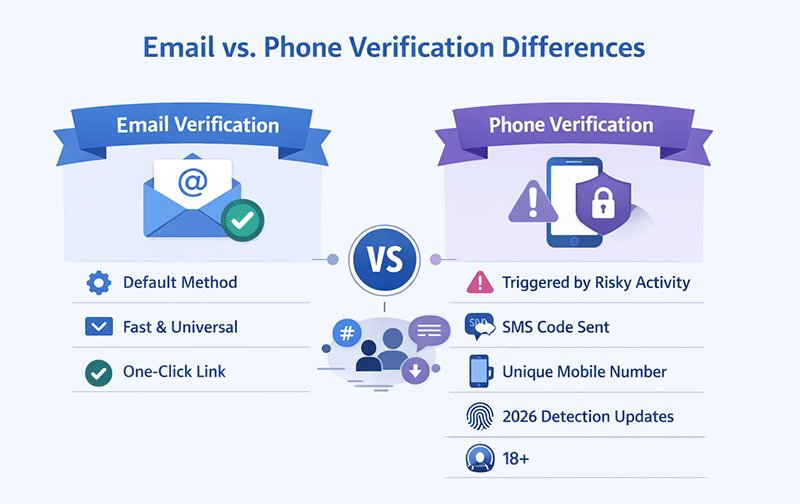
E-posta doğrulaması birincil ve varsayılan yöntemdir: hızlıdır, standart gelen kutusu teslimatını kullanır ve yeni veya doğrulanmamış hesaplara evrensel olarak uygulanır. E-postalar genellikle saniyeler veya dakikalar içinde ulaşır ve tek tıklamalı bir doğrulama bağlantısı içerir.
Telefon doğrulaması ise "yüksek riskli davranışlar" için seçici olarak tetiklenir. Buna hızlı sunucu katılımları (örneğin, kısa sürede 100+ üyeli topluluklara katılmak), yoğun sesli kanal aktivitesi, büyük hacimli doğrudan mesaj gönderme, alışılmadık cihazlardan/IP'lerden giriş yapma veya Discord'un otomatik tespit sisteminde işaretlenen üçüncü taraf bot entegrasyonları dahildir. Bu durumlarda Discord, SMS yoluyla tek seferlik bir kod göndermek için geçerli bir cep telefonu numarası (birden fazla hesapta tekrar kullanılamaz) ister. Özellikle 2026 güncellemeleri, telefon kontrollerinin ne zaman uygulanacağını belirlemek için yaş çıkarımı ve cihaz parmak izi gibi ek sinyaller eklemiştir, ancak bunlar standart kullanımdan ziyade yaş kısıtlamalı bağlamlarda daha belirgindir.
Aşağıdaki tablo, Discord'daki e-posta ve telefon doğrulaması arasındaki temel farkları özetlemektedir:
| Özellik | E-posta Doğrulaması | Telefon Doğrulaması |
|---|---|---|
| Yöntem | Varsayılan, evrensel | Yüksek riskli aktivite için tetiklenir |
| Hız | Saniyelerden dakikalara | SMS teslimatı, operatöre bağlı |
| Doğrulama Bağlantısı | Tek tıklamalı bağlantı | SMS ile 6 haneli kod |
| Kullanım Durumu | Yeni hesaplar, standart erişim | Hızlı sunucu katılımları, sıra dışı davranış |
| Risk Sinyali | Düşük | Sıra dışı desenler tespit edilirse yüksek |
| Ek Notlar | Hızlı ve basit | 2026 tespit güncellemeleri, cihaz/IP kontrolleri, 18+ |
2026'daki Önemli Değişiklikler
Platformun küresel yaş doğrulama uygulaması, topluluk geri bildirimleri ve gizlilik endişeleri nedeniyle 2026'nın ikinci yarısına ertelendi. Bu durum öncelikli olarak yaş kısıtlamalı (NSFW) içerikleri, kanalları, sunucuları veya güvenlik ayarı değişikliklerini etkilemektedir; burada yetişkinlerin yaşı doğrulaması gerekebilir (örneğin, İngiltere, Avustralya veya Brezilya gibi belirli bölgelerde yüz tahmini veya kimlik yükleme yoluyla). Sıradan kullanıcılar için (Discord açıklamalarına göre %90'dan fazlası) yaşa bağlı bir doğrulama gerekmemektedir ve genel erişim için standart e-posta/telefon kontrolleri değişmemiştir. E-posta doğrulaması, spam karşıtı sistemlere ve sunucu düzeyindeki kısıtlamalara bağlandığı için çoğu etkileşim için varsayılan "güvenlik kapısı" haline gelmiştir.
Discord Neden Geçici E-postalara Temkinli Yaklaşır (Ancak Doğrudan Yasaklamaz)
Discord, Hizmet Şartlarında tek kullanımlık veya geçici e-postaları açıkça yasaklamaz, ancak platform bunlara karşı hassastır. Bu nedenle, güvenilir teslimat sağlamak ve saygın alan adları ile uygun davranışsal kullanım yoluyla riski en aza indirmek için güvenilir bir Geçici E-posta Hizmeti seçmek önemlidir. Bilinen geçici e-posta sağlayıcıları, kötüye kullanım (örneğin toplu kayıtlar veya spam) modelleri gösterirlerse gerçek zamanlı kara listelerde işaretlenirler. Ayrıca, Discord'un kural motoru, risk puanları atamak için hızlı eylemler veya düşük etkileşim modelleri gibi hesap davranışlarını değerlendirir. Tek başına bir tek kullanımlık e-posta nadiren yasaklamayı tetikler, ancak şüpheli etkinliklerle (örneğin aynı IP'den hızlı sunucu katılımları) birleştiğinde geçici kısıtlamalara veya zorunlu telefon doğrulamasına yol açabilir. Bu denge, gizlilik odaklı kullanıcıların normal şekilde çalışmasına izin verirken koordineli kötüye kullanımı engeller.
Önemli: Geçerli bir geçici e-posta ile bile, sıra dışı etkinlikler (hızlı sunucu katılımları veya tekrarlanan hesap oluşturma gibi) telefon kontrolleri gibi ek doğrulama adımlarını tetikleyebilir.
Temel Bilgi: Discord, e-postanın kendisinden çok davranışı değerlendirir; geçici e-postalar nadiren kısıtlamaların doğrudan nedenidir.
İnsanlar Neden Discord İçin Geçici E-posta Kullanır?
Çevrimiçi platformların çok miktarda kişisel veri topladığı bir çağda, birçok Discord kullanıcısı bu platformdaki dijital ayak izleri üzerinde kontrol sahibi olmak için özellikle geçici (tek kullanımlık) e-postalara yönelmektedir. Gerçek zamanlı topluluklara, sesli etkileşimlere ve sunucu tabanlı organizasyona odaklanan Discord; karşılama mesajları, sunucu duyuruları, arkadaşlık istekleri, doğrudan mesajlar ve etkinlik hatırlatıcıları gibi yüksek hacimli bildirimler üretir. Birincil kişisel veya iş e-postanızı kullanmak, gelen kutunuzu hızla doldurabilir, olası veri ihlallerine (Discord geçmişte güvenlik olayları yaşamıştır) maruz bırakabilir veya e-posta sızdırılırsa istenmeyen platformlar arası pazarlamaya yol açabilir.
Temel gizliliğin ötesinde, bir geçici e-posta oluşturucu, Discord'un benzersiz ekosistemiyle doğrudan bağlantılı pratik avantajlar sunar. Geliştiriciler ve hobiciler genellikle meşru testler için birden fazla hesap oluştururlar: Discord botları oluşturmak ve hata ayıklamak (discord.py veya discord.js gibi kütüphaneler kullanarak), sunucu yönetimi araçlarını (rol atama botları, moderasyon eklentileri, otomatik moderasyon kuralları) denemek veya gürültü engelleme, uzamsal ses ve sahne kanalları gibi sesli kanal özelliklerini test etmek. Geçici bir e-posta oluşturucu kullanmak, bu yeni hesapların ana profillerden ayrı kalmasını sağlayarak deneysel davranışların birincil hesapları etkilemesini veya API hız sınırlarına takılmasını önler.
Diğer bir yaygın senaryo, birincil kimliğinizi riske atmadan yüksek riskli veya kısa ömürlü sunuculara katılmayı içerir. Örneğin:
- Baskın risklerinin veya toksik ortamların yüksek olduğu yeni oyun topluluklarını veya espor klanlarını test etmek.
- Hassas konulara odaklanan anonim tartışma sunucularına katılmak.akıl sağlığı destek grupları, siyasi tartışmalar veya kullanıcıların günlük profillerinden tamamen ayrılmayı tercih ettiği niş hobi forumları).
- Uzun vadeli etkileşim gerektirmeyen sınırlı süreli etkinlikler, beta oyun testleri veya topluluk çekilişleri için "flash" sunuculara katılmak.
Geçici e-postalar ayrıca spam ve davranışsal kısıtlamaları hafifletmeye yardımcı olur. Discord sık sık sistem bildirimleri gönderir ve aktif sunucularda kullanıcılar günlük düzinelerce bildirim alabilir. Tek kullanımlık bir gelen kutusu, bir "yakma" katmanı görevi görür; doğrulamayı alın, sunucuya katılın ve ihtiyaç bittiğinde e-postayı atın. Bu, ana hesabın aşırı yüklenmesini önler ve aynı cihaz veya IP üzerinden çoklu hesap etkinliğinin tetiklediği geçici kısıtlamalar riskini azaltır (Discord'un kötüye kullanım önleme sistemleri, hesaplar arasındaki hızlı katılımlar veya benzer davranışlar gibi kalıpları izler).
Discord'a Özgü Kullanım Durumları
Bazı senaryolar Discord'un yapısına özeldir:
- Oyun loncası/klan yönetimi: Lonca liderleri, kişisel ve lonca iletişimlerini karıştırmadan işe alımları izlemek, baskınları organize etmek veya özel botları test etmek için genellikle ikincil hesaplar tutarlar.
- Kısa süreli etkinlik sunucuları: Oyun lansmanları, film izleme partileri, çalışma grupları veya tatil etkinlikleri için sunucu barındırmak veya bunlara katılmak; sunucu bir hafta sonra aktifliğini yitirebilir.
- Nitro özellik testi: Ana profilde taahhütte bulunmadan önce yan hesaplarda sunucu takviyeleri, özel emojiler, hareketli avatarlar veya daha yüksek yükleme limitlerini denemek.
- Sunucular arası geçiş veya temizlik: Toplulukları sunucular arasında taşımak, eskileri arşivlemek veya ana hesapta kesinti ya da bildirim spam'i riski olmadan geçiş botlarını test etmek.
Bu kullanımlar, (genellikle markalaşma için birden fazla profili yöneten içerik oluşturuculara yönelik) Instagram veya (genellikle pazar yeri gizliliği ve aile bağlantılarına odaklanan) Facebook gibi platformlarla tezat oluşturur. Discord'da vurgu, gerçek zamanlı, topluluk odaklı etkileşimler ve davranışsal esneklik üzerinedir; bu da geçici e-postaları uzun vadeli kimlik yönetiminden ziyade hızlı kurulum, deneme ve bölümlere ayırma için bir araç haline getirir.
Discord gibi yüksek tespit oranına sahip sosyal doğrulama ortamlarında, gizlilik odaklı araçlardan elde edilen gerçek dünya gözlemleri, geçici e-postaların normal kullanıcı davranışlarıyla eşleştirildiğinde güvenilir bir şekilde çalıştığını göstermektedir. Örneğin, benzer anlık doğrulama taleplerine sahip platformlar yüz binlerce başarılı teslimat gerçekleştirmiştir; bu da alan adı tazeliğinin ve düşük hacimli kullanımın 2026'da temel faktörler olmaya devam ettiğini göstermektedir.
Sonuç olarak, bu uygulamalar Discord'un Hizmet Şartları sınırları içinde kaldıkları sürece gizlilik bilincine sahip kullanıcılar (geliştiriciler, oyuncular, moderatörler ve sıradan katılımcılar) arasında yaygındır. Geçici e-postalar, karmaşık geçici çözümlere ihtiyaç duymadan basit ve etkili bir ayrım katmanı sağlar.
Adım Adım Kılavuz: Discord'da Geçici E-posta Nasıl Kullanılır?
Platformun doğrulama akışını dikkatlice takip ederseniz, Discord için Geçici E-posta (Temp Mail) kullanmak oldukça basittir. Süreç diğer sosyal platformlardan farklıdır çünkü Discord, topluluklara gerçek zamanlı erişimi ve davranışsal tutarlılığı vurgular; yani e-posta genellikle sadece giriş noktasıdır, sonraki eylemler (sunuculara katılmak, sesli sohbet kullanmak veya bot çalıştırmak) uzun vadeli hesap sağlığını belirler. Aşağıda, Discord'un mevcut sistemine özel olarak uyarlanmış, 2026 güncellemeli tam bir izlenecek yol bulunmaktadır.
**İpucu:** En iyi sonuçlar için yeni bir geçici e-posta alan adı kullanın ve ilk hesap kurulumu sırasında IP konumlarını değiştirmekten kaçının.
Adım 1: Güvenilir Bir Geçici E-posta Hizmeti Seçin
Tüm tek kullanımlık e-posta sağlayıcıları, alan adı kara listeleri ve teslimat izleme nedeniyle Discord'da aynı performansı göstermez. Şunlara öncelik veren hizmetleri arayın:
- Sık alan adı rotasyonu (blokları aşmak için haftalık veya günlük eklenen yeni alan adları).
- Hızlı gelen kutusu yenileme (e-postalar saniyeler veya dakikalar içinde görünür).
- Doğrulamayı yavaşlatan zorunlu reklamlar, izleyiciler veya CAPTCHA döngüleri olmaması.
- Gerekirse tam e-posta başlıklarını görüntüleyebilme (teslimat sorunlarını teşhis etmeye yardımcı olur).
- Yüksek tespit ortamlarında temiz itibar (toplu spam kötüye kullanımıyla bilinen sağlayıcılardan kaçının).
Önce düşük riskli hesaplarla birkaç seçeneği test edin; Discord'un belirli sağlayıcılara olan toleransı, kötüye kullanım raporlarına bağlı olarak hızla değişebilir. [email protected] adresine güçlü teslimat sağlayan hizmetler 2026'da en iyi sonucu verme eğilimindedir.
Sık sık geçici e-postalar kullanıyorsanız, istikrarlı teslimat ve yeni alan adlarına sahip bir sağlayıcı seçmek Discord doğrulama başarısı için çok önemlidir.
Adım 2: Tek Kullanımlık Bir E-posta Adresi Oluşturun
Seçtiğiniz geçici e-posta hizmetini bir tarayıcı sekmesinde (daha fazla gizlilik için tercihen gizli modda veya ayrı bir profilde) açın. "Oluştur" veya "Yeni Gelen Kutusu Oluştur" düğmesine tıklayın. Anında rastgele bir e-posta adresi alacaksınız (örneğin, [email protected]). Bu adresi panonuza kopyalayın. Gelen kutusu sekmesini açık tutun; çoğu hizmet otomatik olarak yenilenir, ancak bazıları bir dakika sonra manuel yenileme gerektirir.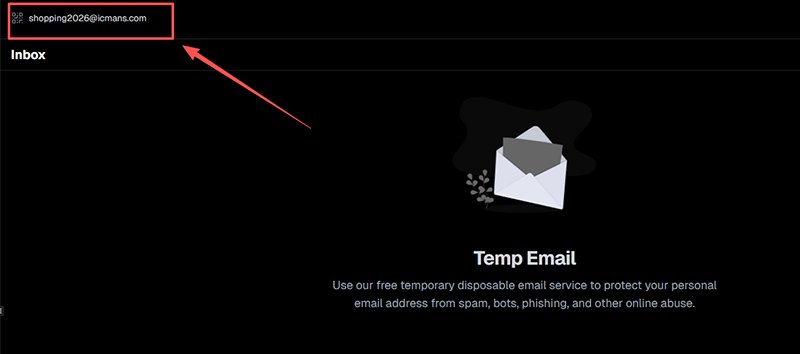
Adım 3: Yeni Bir Discord Hesabı Kaydedin veya Mevcut Hesaba E-posta Ekleyin
Discord'u tarayıcınızda veya masaüstü uygulamanızda açın (mobil de çalışır ancak ekran görüntüleri için masaüstü daha kolaydır). Yeni bir hesap oluşturuyorsanız:
- Giriş ekranında "Kayıt Ol"a tıklayın.
- Kullanıcı adı, şifre, doğum tarihi (13+ olmalı) girin ve geçici e-postanızı yapıştırın.
- "Devam Et"e tıklayın → Discord doğrulama e-postasını hemen gönderir.
Mevcut bir hesaba ekliyorsanız (test için yaygındır):
- Kullanıcı Ayarları'na gidin (sol alttaki dişli simgesi).
- "Hesabım"ı seçin.
- "E-posta" bölümüne gidin.
- "E-posta Ekle" veya "E-postayı Değiştir"e tıklayın.
- Geçici adresi yapıştırın ve mevcut şifrenizle onaylayın.
- Discord doğrulama e-postasını hemen tetikler.
Önemli 2026 notu: Bazı sunucular artık onları görüntülemeden veya katılmadan önce doğrulanmış e-posta gerektiriyor; doğrulamadan katılmaya çalışmak anında bir "E-postanı Doğrula" katmanını tetikleyebilir.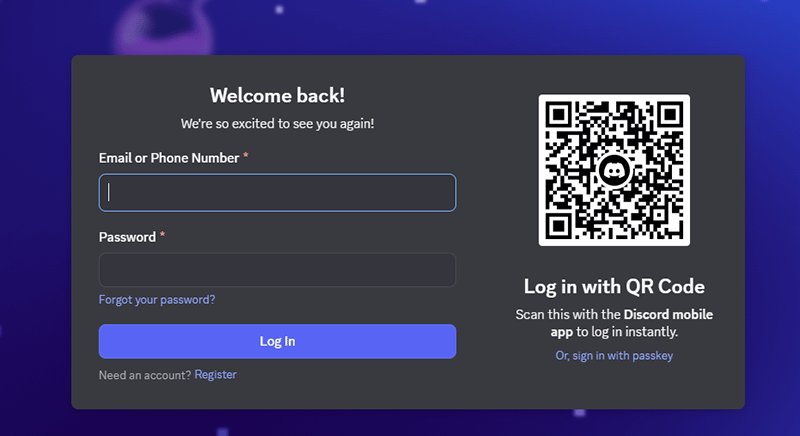
Adım 4: Doğrulama Bağlantısını Alın ve Tıklayın
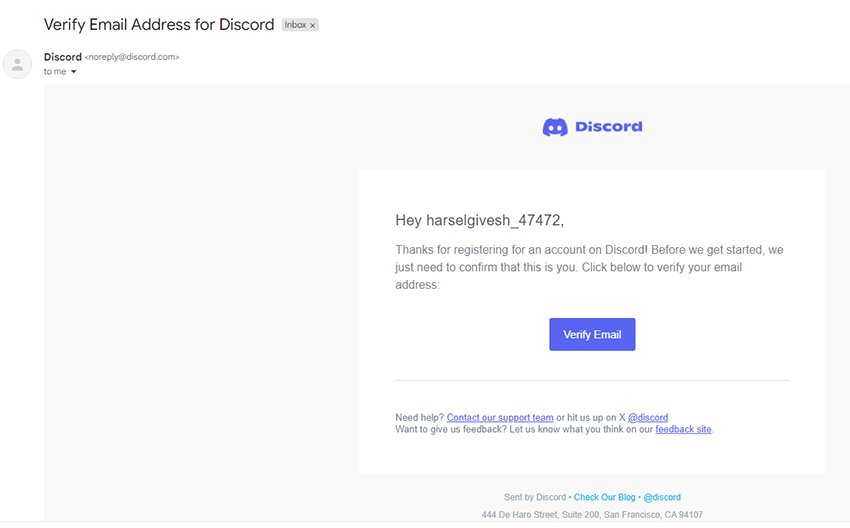
Geçici e-posta gelen kutunuza geri dönün. [email protected] adresinden gelen, konu satırı "Discord Hesabını Doğrula" veya benzeri olan bir e-posta arayın. E-postayı açın; büyük mavi bir "E-postayı Doğrula" düğmesi veya doğrudan bir bağlantı içerir. Tıklayın. Discord "E-posta Doğrulandı" mesajını onaylamalı ve sizi uygulamaya yönlendirmelidir.
Discord'a Özgü Sorun Giderme
- E-posta gecikti mi veya gelmedi mi? Gelen kutusunu birkaç kez yenileyin (1-3 dakika bekleyin). Hibrit bir hizmet kullanıyorsanız spam/gereksiz klasörünü kontrol edin. Sağlayıcı destekliyorsa [email protected] adresini izin verilenler listenize ekleyin.
- Bağlantının süresi mi doldu? Discord ayarlarında "Doğrulama E-postasını Yeniden Gönder"e tıklayın; genellikle anında çalışır.
- E-posta adımından sonra aniden telefon doğrulaması mı tetiklendi? Bu, yüksek riskli akışlarda olur (bkz. Adım 5). Panik yapmayın; bu e-posta ile ilgili değil, davranışsaldır.
Adım 5: Telefon Doğrulamasını Yönetin (Tetiklenirse)
2026'da telefon doğrulaması her hesap için otomatik değildir ancak Discord yüksek risk tespit ettiğinde (örneğin, yeni cihaz, sıra dışı IP, hızlı sunucu katılımları veya bot benzeri kalıplar) uygulanır. İstenirse:
- Bir cep telefonu numarası isteyen bir "Doğrulamayı Başlat" ekranı göreceksiniz.
- Geçerli bir numara girin (Discord 2026'da çoğu VOIP/burner numarasını engeller).
- 6 haneli bir SMS kodu alın ve girin.
- Doğrulandıktan sonra hesap tüm özelliklerin kilidini açar.
Yasal ve Pratik Notlar
Mümkünse kendi ikincil numaranızı veya test için ön ödemeli bir SIM kart kullanın. "Discord telefon baypas" reklamı yapan hizmetlerden kaçının; bunlar genellikle kalıcı yasaklara yol açar. Telefon veremiyorsanız veya vermek istemiyorsanız, riski şu şekilde azaltın: eylemleri yavaşlatın, yerel IP'ler kullanın ve günlük sunucu katılımını sınırlayın.
Adım 6: Hesap İşlevselliğini Test Edin
Doğrulamadan sonra her şeyin beklendiği gibi çalıştığını onaylayın:
- Küçük bir genel sunucuya katılın (Keşfet veya doğrudan davet yoluyla arayın).
- Bir kanalda ve DM'lerde bir test mesajı gönderin.
- Bir ses kanalına girin → mikrofonu konuşun/test edin (bot/ses özelliği testi için önemlidir).
- Botları test ediyorsanız: Bir test sunucusu oluşturun (Sunucu Ayarları → Sunucu Oluştur), botunuzu davet edin, izinleri verin ve temel komutları çalıştırın.
- Uygunsa Nitro deneme özelliklerini deneyin (özel emoji, daha yüksek yükleme limitleri).
- Kısıtlamaları kontrol edin: "Sınırlı Erişim" başlığı yok mu? İyi işaret.
Bu adım Discord'da çok önemlidir; doğrulama sonrası sürecin çoğunlukla pasif olduğu Instagram/Facebook'un aksine, Discord davranışsal normalliği hemen test eder.
Geçici e-postaları diğer platformlarda kullanmakla ilgileniyorsanız, farklı topluluklarda hesap kaydı ve doğrulama için tek kullanımlık e-postaların nasıl çalıştığını öğrenmek için Facebook için Temp Mail veya Instagram için Temp Mail gibi kılavuzları da inceleyebilirsiniz.
Adım 7: E-postayı Güvenle İmha Edin ve Hesap Geçişini Düşünün
Test veya kullanım tamamlandığında:
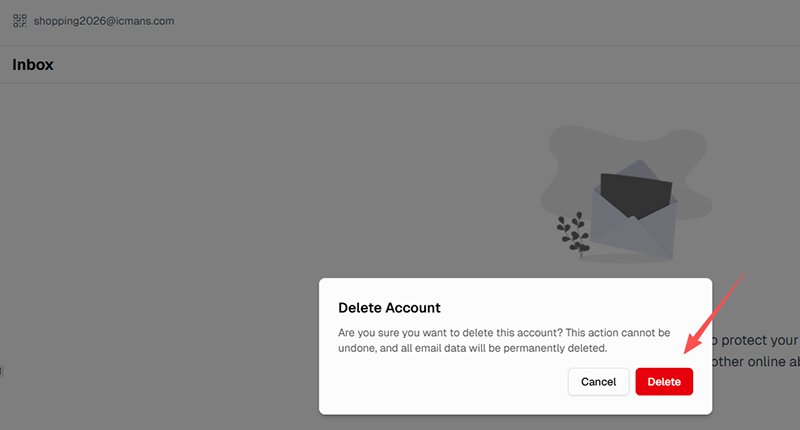
- Geçici e-posta gelen kutusunu silin (çoğu hizmet saatler/günler sonra otomatik olarak temizler).
- Hesabın bir değeri varsa (örneğin, çalışan bir bot veya lonca üyeliği), geçiş yapmayı düşünün: ayarlardan gerçek/ikincil e-postanızı ekleyin, doğrulayın ve ardından geçici olanı kaldırın.
- Oturum takibi konusunda endişeliyseniz tüm cihazlardan çıkış yapın ve önbelleği temizleyin.
Son Sorun Giderme
- Hesap doğrulama sonrası "Sınırlı Erişim" mi alıyor? Genellikle davranışsaldır; etkinliği yavaşlatın, 24-48 saat bekleyin veya şu yolla itiraz edin:Discord desteği.
- Sunucuya katılma “Doğrulama Gerekli” hatasıyla mı başarısız oluyor? E-postanızı yeniden doğrulayın veya istenirse telefon doğrulama adımını tamamlayın.
- Bot komutları görmezden mi geliniyor? Yeni hesaplarda yaygın olan izinleri ve hız sınırlarını (rate limits) kontrol edin.
Bu adımları metodik bir şekilde izleyerek, geçici e-postayı Discord'da sürtünmeyi ve riski en aza indirerek etkili bir şekilde kullanabilirsiniz. Diğer platformlardan temel fark, Discord'un gerçek zamanlı ve topluluk odaklı doğasıdır; doğrulama hızlıdır ancak kalıcılığı belirleyen şey sürdürülebilir normal davranıştır.
Güvende Kalmak ve Yasaklardan Kaçınmak İçin En İyi Uygulamalar
Discord'da geçici e-posta kullanmak gizlilik ve test işlemleri için etkili olabilir, ancak platformun kötüye kullanım önleme sistemleri 2026 itibarıyla oldukça gelişmiş ve davranış odaklıdır. Discord, hesapları yalnızca tek kullanımlık e-posta kullandıkları için nadiren yasaklar; Hizmet Şartları ve otomatik denetim mekanizmaları, e-posta kökeninden ziyade spam, taciz, yasak atlatma veya koordineli kötüye kullanım kalıplarını hedefler. Bununla birlikte, geçici bir e-postayı şüpheli etkinliklerle birleştirmek, kısıtlama olasılığını önemli ölçüde artırır. Amaç, hesabınızın ilk günden itibaren mümkün olduğunca normal görünmesini sağlamaktır.
Gerçek Bir İnsan Kullanıcı Gibi Davranın
Discord'un davranışsal puanlama sistemi; eylemlerin hızını, hacmini ve tutarlılığını izler. Radara yakalanmamak için:
- İlk birkaç saat veya gün içinde düzinelerce sunucuya katılmaktan kaçının; kendinizi günde en fazla 3–5 yeni sunucuyla sınırlayın ve bunları zamana yayın.
- Mesajları, DM'leri ve tepkileri zamana yayın: yoğun kanallarda eylemler arasında 10–30 saniye bekleyin, doğal yazma hızını taklit edin ve kopyala-yapıştır spam'inden kaçının.
- Bot benzeri kalıplardan uzak durun: hızlı tekrarlayan komutlar, toplu etiketlemeler (ping) veya kanallar/sunucular arasında aynı mesajları göndermeyin.
VPN'leri ve IP Yönetimini Dikkatli Kullanın (Discord'a Özel Tavsiye)
Özellikle çoklu hesap testleri için yerleşik (residential) veya temiz bir IP yardımcı olur, ancak ticari bir VPN'i geçici bir e-posta ile eşleştirmek aslında kırmızı bayrakları tetikleyebilir; Discord, IP değişikliklerini geçici alan adlarıyla ortak bir kötüye kullanım sinyali olarak ilişkilendirir. En iyi uygulamalar:
- VPN kullanıyorsanız, özel/yerleşik IP'leri olan birini seçin ve o hesabın ömrü boyunca aynı IP'yi kullanın (oturum ortasında sunucu değiştirmeyin).
- Yüksek riskli testler (örneğin, bot geliştirme) için VPN değiştirmek yerine mobil erişim noktası veya farklı bir fiziksel konumdan bağlanmayı düşünün.
- Ücretsiz/halka açık VPN'leri asla kullanmayın; bunlar yoğun bir şekilde kara listeye alınmıştır ve anında telefon doğrulaması tetikler.
E-postayı Kullandıktan Hemen Sonra Silin
Doğrulama tamamlandıktan ve temel işlevleri (sunucuya katılma, sesli sohbet, bot komutları) test ettikten sonra geçici gelen kutusunu silin veya terk edin. Çoğu hizmet zaten saatler veya günler sonra otomatik olarak temizleme yapar. Önemli sunucu davetlerini, arkadaş listelerini veya Nitro kodlarını geçici e-postada saklamayın; imha etmeden önce Discord ayarları aracılığıyla değerli olan her şeyi ikincil bir kalıcı adrese taşıyın. Bu, alan adının daha sonra ele geçirilmesi veya kara listeye alınması durumunda maruziyeti en aza indirir.
Discord'un Uyarı ve Kısıtlama Sistemini İzleyin
Discord, bir şeyler ters gittiğinde net sinyaller verir; şunlara dikkat edin:
- Sınırlı Erişim başlığı (üstteki gri çubuk): genellikle mesajlaşma, sunuculara katılma veya DM gönderme konusunda geçici kısıtlamalar anlamına gelir. Genellikle hızlı etkinlikler tarafından tetiklenir; minimum kullanımla 24–48 saat bekleyin.
- Geçici Askıya Alma: hesap saatlerce veya günlerce kilitlenir; itiraz talimatları için e-postanızı (eklediğiniz e-posta) kontrol edin.
- Kalıcı Yasak: ciddi ihlaller (spam, taciz, yasak atlatma) olmadığı sürece tek hesaplar için nadirdir. Hata olduğunu düşünüyorsanız support.discord.com üzerinden itiraz edin.
Herhangi bir uyarı görürseniz, tüm etkinlikleri hemen durdurun, tüm cihazlardan çıkış yapın ve 1–2 gün sonra yavaşça devam edin.
Kaçınılması Gereken Discord'a Özgü Tuzaklar
Discord'un topluluk ve bot ağırlıklı ortamına özgü birkaç risk vardır:
- Aynı IP/cihazdan kısa sürede birden fazla sunucu veya hesap kaydı yapmayın; Discord bunu çoğu platformdan daha hızlı bir şekilde koordineli kötüye kullanım olarak işaretler.
- Ses özelliklerini veya botları test ederken doğal davranın: ara sıra konuşun, ses ayarlarını yapın, kanallarda gerçekçi süreler (5–15 dakika) kalın ve sessiz/boşta bot davranışlarından kaçının.
- Bot hesapları için, yoğun kullanımdan önce onları "yaşlandırın"; hesabın normal bir profil oluşturması için 7–14 gün boyunca boşta kalmasına veya hafif insan benzeri eylemler (1–2 sunucuya katılma, birkaç mesaj gönderme) gerçekleştirmesine izin verin.
- İtibar benzeri sistemlere karşı dikkatli olun: Discord'un halka açık bir karma sistemi olmasa da, sunucu sahipleri ve otomatik denetim botları genellikle katılım yaşını, mesaj geçmişini ve etkileşimi takip eder. Agresif bir şekilde paylaşım yapan veya hızla katılıp çıkan yeni hesaplar şüpheli olarak işaretlenir.
Risk Şeffaflığı
Uygulamada, saygın geçici posta hizmetlerinden alınan taze, döndürülmüş alan adları, insan benzeri davranışlarla birleştiğinde 2026'da Discord'da yüksek başarı oranları sağlar; yüksek doğrulama gerektiren sunucularda bile. Eski veya yoğun şekilde kötüye kullanılan alan adlarının anında telefon kontrollerini veya teslimat hatalarını tetikleme olasılığı daha yüksektir. Belirleyici faktör neredeyse her zaman e-postanın kendisi değil, davranıştır.
Son Yasal ve Etik Hatırlatma
Geçici e-postalar, sorumlu bir şekilde kullanıldığında meşru bir gizlilik aracıdır. Discord'un kurallarından muafiyet sağlamazlar. Bunları asla spam, taciz, yasak atlatma, kimlik avı veya yasaklanmış herhangi bir faaliyet için kullanmayın. Amacınız meşruysa (gizlilik, bot testi, geçici topluluk katılımı), her zaman Hizmet Şartları'na ve Topluluk Kuralları'na uyun. Bunları ihlal etmek, e-posta türü ne olursa olsun kalıcı erişim kaybına yol açabilir.
Yavaş, doğal davranışlara ve temiz operasyonel alışkanlıklara öncelik vererek, geçici e-posta kullanırken zaten düşük olan sorun riskini önemli ölçüde azaltabilirsiniz.
Gerçek Dünya Performansı: Yüksek Hacimli Doğrulama Platformlarından Veriler
Yarım yıldan fazla bir süredir gizlilik odaklı bir geçici e-posta hizmeti yürüten ve yakından izleyen biri olarak, yüzlerce farklı platformda gerçek dünya teslimat ve başarı kalıplarını gözlemleme fırsatım oldu. Bunlar seçilmiş anekdotlar veya pazarlama iddiaları değil; normal çalışma sırasında kaydedilen gerçek gelen doğrulama trafiğinden geliyorlar.
Aşağıdaki sayılar, Mart 2026'ya kadar büyük, yüksek algılamalı platformlardan başarıyla alınan ve işlenen kümülatif e-postaları temsil etmektedir. Bu hizmetlerin her biri katı alan adı kara listeye alma, davranışsal puanlama ve teslimat filtreleme uygular; bu da onları tek kullanımlık e-postaların zorlu ortamlarda nasıl performans gösterdiğine dair yararlı kıyaslamalar haline getirir.
| Platform | Alınan Kümülatif Doğrulama E-postası | Tipik Kullanım Durumu | Gözlem Notları (2026) |
|---|---|---|---|
| 480K+ | Yüksek frekanslı sosyal hesap oluşturma/kurtarma | Çok yüksek hacim; agresif alan adı rotasyon kontrollerine rağmen tutarlı teslimat | |
| StudentAid.gov | 180K+ | Devlet/finansal hesap kurulumu & FAFSA doğrulaması | En katı federal sistemlerden biri; başarı, güçlü alan adı tazeliğini gösterir |
| Facebook (facebookmail.com) | 160K+ | Meta ekosistemi kaydı & güvenlik bildirimleri | Meta platformları için güvenilir; e-posta başlıkları nadiren işaretlenir |
| Lovart.ai | 180K+ | Yapay zeka yaratıcı araç kaydı | Gelişmekte olan yapay zeka hizmetleri, davranış normal olduğunda tek kullanımlıkları iyi kabul eder |
| Capital One | 160K+ | Banka hesabı doğrulaması | Yüksek finansal inceleme; temiz kalıplarla hala uygulanabilir |
| xAI (x.ai) | 140K+ | Grok/xAI hesap oluşturma | Yeni teknoloji platformları 2026'nın başlarında iyi tolerans gösteriyor |
| OpenAI | 110K+ | ChatGPT / API giriş OTP | Yapay zeka doğrulama akışları nispeten izin verici kalmaya devam ediyor |
| Reddit (redditmail.com) | 80K+ | Topluluk bildirimleri & kayıt | Forum tarzı platformlar, tek kullanımlık hesaplar için tek kullanımlıkları kabul eder |
| Apple | 20K+ | iCloud / App Store / hesap kurtarma | Donanım ekosistemi katıdır ancak yine de taze alan adlarını işler |
Bu rakamlar toplam gelen kutusu hacmi değildir; özellikle gelen kutusuna ulaşan ve kullanıcılar tarafından görüntülenebilen doğrulama ile ilgili e-postaları sayarlar. Liste kısmi; yüzlerce küçük platform genel trafiğe katkıda bulunur.
Bu, 2026'da Discord İçin Ne Anlama Geliyor?
Discord, "anlık sosyal doğrulama" kategorisiyle (Instagram, Facebook, Reddit) birçok özelliği paylaşır: gerçek zamanlı hesap aktivasyonu, topluluk odaklı kullanım ve toptan tek kullanımlık e-posta yasakları yerine davranışsal kötüye kullanım önleme katmanları. Uygulamada, aynı temel başarı sürücülerinin (taze döndürülmüş alan adları + insan benzeri etkinlik kalıpları) Discord'da, Orta veya Yüksek doğrulama gereksinimleri olan sunucularda bile yüksek teslimat ve kullanılabilirlik oranları sağladığını gözlemliyoruz. Alan adları bayat olduğunda veya davranış otomatik göründüğünde (hızlı katılımlar, aynı eylemler), telefon doğrulaması veya teslimat hataları, yukarıdaki platformlarda görüldüğü gibi hızla artar.
Bu platformlar arası veriler tutarlı bir kalıbı pekiştiriyor: 2026'da geçici e-posta güvenilirliği, platformun tek kullanımlık e-posta kavramını tamamen engellemesinden çok, operasyonel hijyene (alan adı yaşı, istek hacmi, IP temizliği) bağlıdır.
Veri Kaynağı ve Şeffaflık
Tüm sayılar, canlı bir gizlilik hizmetinin dahili, anonimleştirilmiş teslimat günlüklerinden gelir; uydurma istatistikler veya üçüncü taraf kazıma yoktur. Veri kümesi yeni trafik geldikçe sürekli güncellenir ve alan adı havuzlarını proaktif olarak ayarlamak için platforma özel kalıplar günlük olarak izlenir.
Discord İçin Geçici Posta Seçeneklerinin Hızlı Karşılaştırması
2026'da Discord için doğru geçici e-posta hizmetini seçmek birkaç pratik faktöre bağlıdır: doğrulama e-postalarının ne kadar hızlı geldiği, sağlayıcının alan adlarının kara listelerin önünde kalmak için sık sık döndürülüp döndürülmediği, ağır reklamların veya izleyicilerin yokluğu ve anlık doğrulamayı davranışsal izleme ile birleştiren bir platformdaki genel güvenilirlik. Hiçbir hizmet evrensel olarak "en iyisi" değildir; performans kullanım durumuna, zamanlamaya ve Discord'un filtrelerinin ne kadar agresif güncellendiğine göre değişir.Aşağıdaki tablo, Discord'unkine benzer yüksek hacimli doğrulama akışlarından elde edilen gerçek dünya gözlemlerine dayanarak, yaygın olarak kullanılan 6 geçici e-posta sağlayıcısını (popüler ücretsiz olanlar ve birkaç gizlilik odaklı seçenek dahil) karşılaştırmaktadır. "Discord Gerçek Dünya Gözlemi" sütunu, herhangi bir sağlayıcıyı kayırmadan, gerçek kullanım senaryolarında (örneğin hesap oluşturma, sunucuya katılma, bot testi) görülen kalıpları yansıtır.
| Hizmet | Alan Adı Yenileme Sıklığı | Tipik Teslimat Hızı | Reklam/İzleyici Seviyesi | Gizlilik Özellikleri | Discord Gerçek Dünya Gözlemi (2026) |
|---|---|---|---|---|---|
| Temp-Mail.org | Orta (haftalık) | Hızlı (5–30 sn) | Orta-Yüksek | Temel kayıt tutmama iddiası | Düşük hacimli tekil hesaplar için güvenilir; eski alan adları genellikle hızlı bir şekilde telefon doğrulaması tetikler |
| 10MinuteMail | Yüksek (günlük/oturum başına yeni) | Çok hızlı (<10 sn) | Düşük | 10 dk sonra otomatik silme | Tek seferlik doğrulamalar için iyi; kısa ömürlü olması bot/sunucu testi takibini sınırlar |
| GuerrillaMail | Yüksek (istek üzerine) | Hızlı (10–60 sn) | Düşük | Özel takma adlar, kayıt gerektirmez | Hızlı katılımlar için sağlam; bazı alan adları, tekrar eden kullanımlardan sonra yüksek doğrulama gerektiren sunucularda hafif engellere takılabilir |
| Mail.tm | Orta-Yüksek | Hızlı (5–20 sn) | Düşük | API erişimi, daha uzun saklama süresi | Tutarlı teslimat; günlerce birden fazla test hesabı çalıştıran geliştiriciler için uygun |
| ProtonMail Temp Aliases* | Düşük (manuel oluşturma) | Orta (30 sn–2 dk) | Yok | Uçtan uca şifreleme, gerçek alan adı | Çok temiz itibar; nadiren davranışsal işaretleri tetikler, ancak daha yavaştır ve ücretsiz kontenjanı sınırlıdır |
| TempEmail.cc | Yüksek (sık ve proaktif) | Hızlı (5–30 sn) | Yok | Sıfır kayıt, gerçek zamanlı alan adı yenileme | Anlık sosyal doğrulama akışlarında güçlü performans; normal davranış sergilendiğinde düşük telefon tetikleme oranı |
*Not: ProtonMail'in geçici takma adları, ücretli ekosistemlerinin bir parçasıdır ancak genellikle gizlilik odaklı tek kullanımlık ihtiyaçlar için kullanılır.
Discord Kullanıcıları İçin Önemli Çıkarımlar
- Hız ve tazelik en önemlisidir: Discord'un gerçek zamanlı doğrulaması, gecikmeli e-postaların hayal kırıklığına veya başarısız katılımlara yol açabileceği anlamına gelir. Günlük/yeni alan adlarına sahip sağlayıcılar genellikle daha az anlık engelleme ile karşılaşır.
- Davranışsal uyumluluk: Aynı alan adlarını sürekli olarak doldurmayan hizmetler, birden fazla test hesabı oluşturduğunuzda veya sunuculara hızlıca katıldığınızda daha iyi performans gösterir.
- Gizlilik ve kolaylık dengesi: Reklamsız, kayıt tutmayan seçenekler izlenme riskini azaltır ancak teslimatları daha yavaş olabilir veya daha az ücretsiz kontenjan sunabilirler.
- Test etmek şarttır: Discord'un alan adı kara listeleri ve risk puanlamaları sık sık değişir; bugün çalışan bir yöntem gelecek hafta farklı bir sağlayıcı gerektirebilir. Her zaman önce düşük riskli bir hesapla test yapın.
Sonuç olarak, doğru seçim özel ihtiyaçlarınıza bağlıdır: tek seferlik sunucu katılımı, haftalar süren bot geliştirme veya maksimum anonimlik. 2-3 hizmeti deneyin, teslimat başarısını izleyin ve en yüksek güvenilirliği korumak için önceki bölümdeki davranışsal en iyi uygulamalarla birleştirin.
Discord için Geçici E-posta SSS (Yaygın Sorunlar ve Çözümler)
1. Discord için Geçici E-posta kullandığım için Discord hesabımı yasaklar mı?
Hayır; Discord, sadece geçici e-posta kullandığınız için hesapları açıkça yasaklamaz. Discord'un resmi yönergelerine ve gerçek dünya gözlemlerine göre, yaptırımlar e-posta türüne değil, kötü niyetli davranışlara odaklanır. Etkinliğiniz normal görünüyorsa, çoğu hesap doğrulama sürecini sorunsuz geçer. Ancak, tek kullanımlık e-postaları spam benzeri eylemlerle birleştirmek kısıtlamaları tetikleyebilir.
2. Neden Discord, e-posta doğrulamasından sonra aniden telefon doğrulaması istedi?
Bu durum genellikle Discord "yüksek riskli davranış" (hızlı sunucu katılımları veya olağandışı giriş kalıpları gibi) tespit ettiğinde gerçekleşir. Bu, geçici e-postanın kendisinden değil, davranışsal sinyallerden kaynaklanır. 2026 yılında, cihaz parmak izi ve IP itibarı daha büyük bir rol oynamaktadır. Etkinliği yavaşlatmak genellikle tekrarlanan tetikleyicileri önler.
3. E-postamı doğruladıktan sonra neden bazı sunuculara katılamıyorum?
Bazı sunucular daha yüksek doğrulama seviyeleri (Orta, Yüksek veya En Yüksek) uygular. Bunlar sadece doğrulanmış bir e-posta değil, aynı zamanda hesap yaşı veya telefon doğrulaması da gerektirebilir. "Doğrulama Gerekli" mesajı görürseniz, istenen ek adımları tamamlayın. Sunucu düzeyi kuralları sadece Discord tarafından değil, yöneticiler tarafından belirlenir.
4. Discord doğrulama e-postası gelmezse ne yapmalıyım?
Öncelikle geçici gelen kutunuzu yenileyin ve 1-3 dakika bekleyin. Hiçbir şey görünmezse, Discord ayarlarından doğrulama e-postasını tekrar gönderin. Bazı tek kullanımlık alan adları gecikebilir veya engellenebilir, bu nedenle daha yeni bir sağlayıcıya geçmek genellikle sorunu çözer. Güvenilir teslimat, 2026'da büyük ölçüde alan adı itibarına bağlıdır.
5. Discord bot testi için Geçici E-posta kullanabilir miyim?
Evet, bu geliştiriciler arasında yaygın bir kullanım durumudur. Geçici e-postalar, test hesaplarını ana profilinizden ayırmanıza yardımcı olur. Ancak, botları çok agresif bir şekilde çalıştıran yeni hesaplar hız sınırlarına veya kısıtlamalara takılabilir. Ağır testlerden önce hesabı normal etkinliklerle biraz "yaşlandırmak" en iyisidir.
6. Yeni hesabım neden "Sınırlı Erişim" gösteriyor?
Bu genellikle e-postadan değil, hızlı veya tekrarlayan eylemlerden kaynaklanır. Discord; toplu mesajlaşma, hızlı katılımlar veya aynı eylemler gibi davranışları işaretler. Kısıtlama genellikle geçicidir (24-48 saat). Etkinliği azaltmak ve normal davranmak tam erişimi geri kazanmaya yardımcı olur.
7. 2026'da Discord doğrulamasında neler değişti?
En büyük değişim, daha katı e-posta kurallarından ziyade daha derin davranışsal analizdir. Yaş doğrulama sistemi kademeli olarak kullanıma sunulsa da, bu esas olarak kısıtlanmış içerikleri etkiler. E-posta doğrulaması, çoğu kullanıcı için temel gereksinim olmaya devam etmektedir. Telefon kontrolleri artık daha dinamik bir şekilde tetiklenmektedir.
8. Uzun vadeli sunucu yönetimi için geçici e-posta kullanabilir miyim?
Uzun vadeli kullanım için önerilmez. Geçici gelen kutularının süresi dolabilir ve bu da hesap kurtarmayı zorlaştırır. Hesabınız önemli hale gelirse (örneğin bir sunucuyu veya botu yönetiyorsanız), kalıcı bir e-postaya geçmelisiniz. Bu, istikrar ve daha iyi güvenlik sağlar.
9. Geçici e-posta ile VPN kullanmak riski artırır mı?
Nasıl kullanıldığına bağlı olarak artırabilir. Sık IP değişiklikleri ve tek kullanımlık e-postalar, Discord'a şüpheli görünebilir. VPN kullanıyorsanız, tutarlı bir konuma bağlı kalın ve ücretsiz/halka açık hizmetlerden kaçının. Bu durumda istikrar, anonimlikten daha önemlidir.
10. Discord için Geçici E-posta 2026'da hala güvenilir mi?
Evet, doğru kullanıldığında. Gerçek dünya verileri, taze alan adları ve normal davranışlarla güçlü teslimat oranları göstermektedir. Çoğu sorun, güncel olmayan alan adlarından veya agresif kullanım kalıplarından kaynaklanır. İyi bir geçici e-posta hizmetini insan benzeri etkinliklerle birleştirmek en iyi sonuçları verir.
Sonuç ve Son İpuçları
Bu kılavuz, platform güvenlik önlemlerini atlatmayı teşvik etmez ve yalnızca gizlilik bilincine sahip, uyumlu kullanıma odaklanır.
Discord için Geçici E-posta meşru bir gizlilik aracıdır ve Discord'da doğru kullanıldığında, test, kısa süreli katılım ve kimlik ayrımı için size esneklik sağlarken kişisel gelen kutunuzu etkili bir şekilde koruyabilir. 2026'da Discord hala hesap erişiminin temeli olarak e-postaya güvenmektedir, bu da tek kullanımlık e-postaların birçok kullanıcı için geçerli bir seçenek olmaya devam ettiği anlamına gelir.
Ancak, en önemli çıkarım şudur: davranış, e-postanın kendisinden çok daha önemlidir. Discord'un sistemleri etkinlik kalıplarına odaklanır; ne kadar hızlı hareket ettiğiniz, nasıl etkileşimde bulunduğunuz ve kullanımınızın gerçek bir kişiye benzeyip benzemediği. En temiz geçici e-posta bile, hesap spam veya otomasyon gibi davranırsa kısıtlamaları önleyemez. Normal kullanım kalıpları içinde kalmak, uzun vadeli başarının anahtarıdır.
Bir hesap değerli hale gelirse (sunucu yönetimi veya bot geliştirme gibi), istikrar ve kurtarma için her zaman kalıcı, güvenli bir e-postaya geçmek en iyisidir.
Sorumluluk Reddi: Bu kılavuz yalnızca eğitim ve gizlilik amaçlıdır. Her zaman Discord'un Hizmet Şartları'na ve Topluluk Kuralları'na uyun. Geçici e-posta asla spam, taciz, yasaklanmadan kaçınma veya yasaklanmış herhangi bir faaliyet için kullanılmamalıdır.
Yazar Hakkında
Bu kılavuz, yüksek hacimli bir geçici e-posta hizmeti işletmekten ve Discord, Instagram ve Reddit gibi platformlardaki doğrulama davranışlarını analiz etmekten elde edilen gerçek dünya gözlemlerine dayanmaktadır.
Tüm bilgiler; gerçek teslimat verilerinden, platform testlerinden ve yüksek tespit ortamlarında tek kullanımlık e-posta performansının uzun vadeli izlenmesinden elde edilmiştir.