Quick Summary:
Use Temporary Emails: Use TempEmail.cc for one-time registrations and downloads to keep your real address off marketing databases.
Mask Your Identity: Enable Email Aliasing (like Apple’s "Hide My Email" or SimpleLogin) to hide your primary inbox from potential data breaches.
Automate Defenses: Apply Advanced Mailbox Filters in Gmail or Outlook using specific search operators to auto-archive promotional clutter.
Harden Security: Always enable 2FA (Two-Factor Authentication) and disable remote image loading to block hidden tracking pixels in spam.
Practice Digital Hygiene – Disable remote image loading to block tracking pixels and avoid clicking "Unsubscribe" in suspicious emails.
The battle for your inbox has reached a breaking point. In 2026, while artificial intelligence streamlines our digital lives, it has simultaneously empowered attackers with "hyper-personalized" tools. Gone are the days of easily detectable "Nigerian Prince" scams; today’s spam is surgical, often mimicking your bank’s tone or a colleague’s writing style with terrifying precision. According to recent cybersecurity benchmarks, while nearly 50% of all global email traffic is classified as unsolicited spam, the real danger lies in its criminal intent.
Verizon DBIR Report confirms that over 90% of successful cyberattacks originate from a single malicious email, shifting the risk from mere digital clutter to severe online privacy breaches and large-scale credential theft. If you are wondering how to stop spam emails, you are no longer just fighting for a clean interface—you are defending your digital identity.
Protecting your email privacy is no longer optional; it is the cornerstone of modern security. An exposed email address is a gateway to your life, making email security the most critical habit of the digital age. This comprehensive guide provides a roadmap to reclaiming your digital peace. From leveraging anonymous email tools to mastering advanced filtering logic, we will explore the exact strategies you need to protect your email from the 2026 onslaught. Whether you are a beginner or a power user seeking a secure inbox, these actionable steps—including the strategic use of a temporary email—will help you avoid spam emails for good.
The Anatomy of Modern Spam: Why Your Email is a Target
Understanding how to stop spam emails begins with a sobering reality: your email address is one of the most valuable commodities on the digital black market. In 2026, the methods used to harvest and exploit your data have moved far beyond simple guesswork.
The 2026 Spam Landscape: Automation and AI-Driven Harvesters
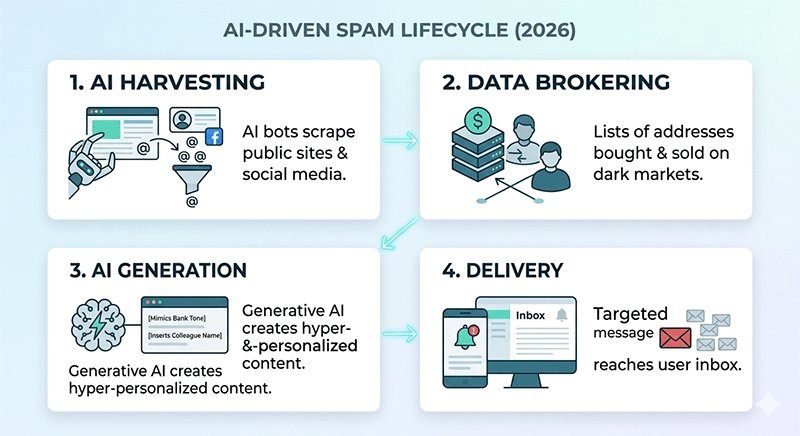
The "spam industry" is now a highly automated, multi-billion dollar ecosystem. Modern spammers use AI-powered web scrapers that can scan millions of public pages, social media profiles, and forum directories in seconds to find the @ symbol.
Furthermore, third-party data brokering has become more aggressive. Even if you never "give" your email to a spammer, your data is often caught in a shadow economy where legitimate apps sell "anonymized" user lists that are easily de-anonymized by sophisticated algorithms. This constant exchange makes maintaining email privacy a moving target.
Digital Breadcrumbs: The Trail You Leave Behind
Every time you interact with a digital service, you leave "breadcrumbs" that lead back to your primary inbox. These include:
- E-commerce Checkouts: Guest checkouts often hide data-sharing agreements in the fine print.
- Social Media Syncing: Linking your email to "free" apps or quizzes.
- Public Registries: Domain WHOIS data, professional directories, or public forum profiles.
The Hidden Danger of "Dark Patterns"
Many users find themselves signed up for junk mail through Dark Patterns—user interface designs intentionally crafted to trick you. In 2026, these are more subtle than ever:
- Double Negative Checkboxes: "Click here to not opt-out of our partner offers."
- Hidden "Accept All" Buttons: Making the "Decline Marketing" button small, grey, or buried three layers deep in "Cookie Settings."
- Forced Registration: Requiring an email for a one-time PDF download or a discount code, which then triggers a permanent drip campaign.
Common Email Leakage Channels (At a Glance)
To better protect your email, be aware of these high-risk entry points for spammers:
- Data Breaches: Large-scale hacks of major platforms (check Have I Been Pwned regularly).
- Mailing List Sales: "Partner" companies sharing your contact info for "relevant offers."
- Newsletter "Aggregators": Signing up for one newsletter that is actually a front for ten others.
- Credential Stuffing: Using the same email/password across multiple low-security sites.
By identifying these "leaks" in your online privacy, you can begin to implement the technical shields—like disposable email addresses—that we will cover in the next sections.
5 Proven Strategies to Stop Spam Emails for Good
In 2026, simply "being careful" isn't enough. You need a multi-layered defense system that prevents spam from ever reaching your primary inbox. Here is the definitive 5-level framework to reclaim your digital sovereignty.
Level 1: The Shield – Use Temporary and Disposable Emails
The most effective way to stop spam emails is to never give out your real address in the first place. Every time a website asks for your email to "download a free guide," "get a 10% discount," or "view a locked article," they are likely adding you to a marketing database.
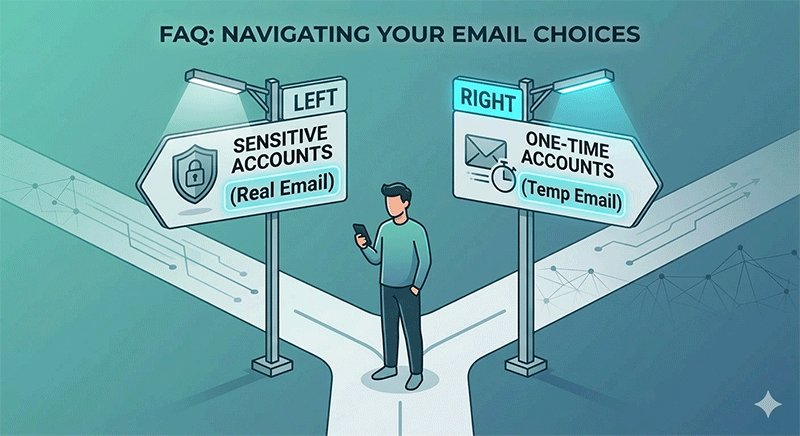
When to use a Temporary Email vs. Real Email:
- Use a Real Email: For banking, government services, primary social media, and trusted long-term subscriptions.
- Use a Temporary Email: For one-time downloads, testing new apps, accessing public Wi-Fi, or any site you don't plan on visiting regularly.
| Feature / Use Case | Primary (Real) Email | Temporary (Disposable) Email |
|---|---|---|
| Service Provider | Gmail, Outlook, Proton Mail | TempEmail.cc |
| Best For... | High-security & long-term services. | One-time access & testing. |
| Registration Required? | Yes (Phone/personal data needed). | No (Instant and anonymous). |
| Critical Scenarios | Banking, Gov services, Work, Medical. | Public Wi-Fi, Resource downloads, Forums. |
| Privacy Level | Tied to your real-world identity. | Zero connection to your identity. |
| Storage & Persistence | Permanent storage for years. | Self-destructs after use. |
| Password Resets | Essential for account recovery. | Not recommended for account recovery. |
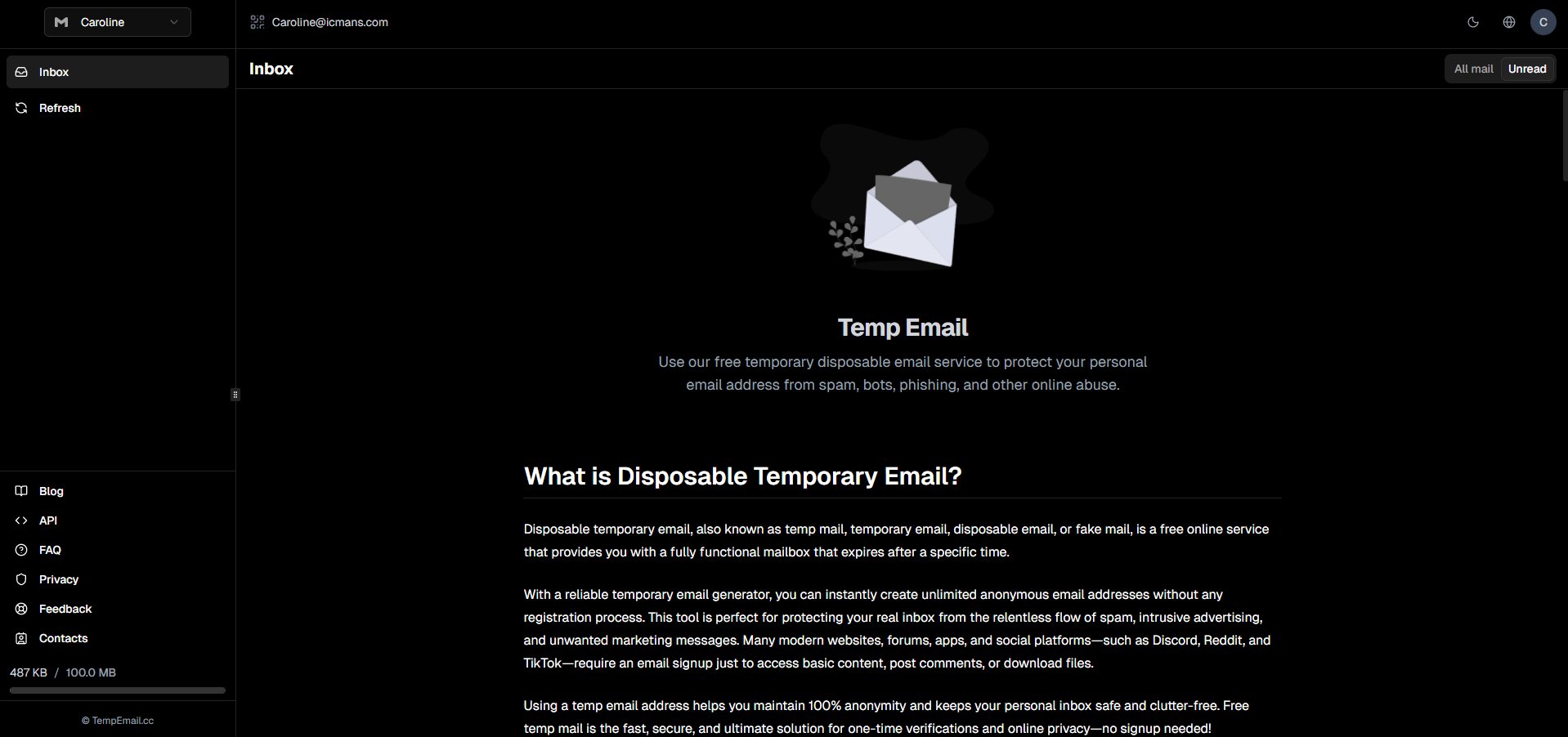
Deep Dive: Why temp mail is a Privacy Game-Changer In the 2026 privacy landscape, TempEmail.cc stands out as a premier disposable email service. Its logic is simple yet powerful:
- No Registration: You don't trade your privacy for privacy. Just visit the site and a unique address is ready.
- Instant Disposal: Once you've received your verification code or link, the inbox can be discarded.
- Anonymity: It acts as a digital buffer, ensuring that trackers and scrapers never see your permanent anonymous email identity.
By using a best disposable email, you effectively "cut the cord" between your online activity and your personal data.
Pro Tip: The Public Wi-Fi Shield
Always use a disposable email from TempEmail.cc when signing up for "Free" public Wi-Fi at airports, hotels, or cafes. These portals are notorious for harvesting emails and selling them to third-party marketing firms. Using a temporary address ensures you get the internet access you need without the lifetime of spam that usually follows.
Level 2: The Mask – Email Aliasing Services
For services you use occasionally but don't fully trust with your primary ID, use an alias. This creates a "mask" that forwards mail to you without revealing your true address.
- Apple "Hide My Email": Integrated into iCloud+, this generates unique, random addresses for every app or website. If one starts sending spam, you can deactivate that specific alias instantly.
- Firefox Relay: A similar service that provides masks. It's excellent for those who want a browser-agnostic solution to protect your email.
- Custom Domain Catch-alls: Power users often use a custom domain (e.g.,
[email protected]). Ifshopping@gets leaked, you simply delete the alias and create a new one.
Level 3: The Filter – Advanced Mailbox Rules
Your email provider (Gmail, Outlook, Apple Mail) has powerful, often underutilized "logic engines." In 2026, mastering these is essential for a secure inbox.
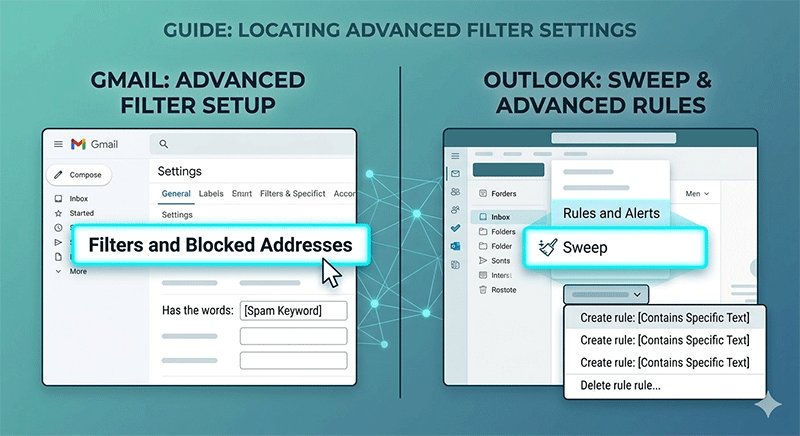
Gmail Advanced Filtering: Instead of just clicking "Spam," create a filter using search operators.
- The "Plus" Trick: If your email is
[email protected], sign up for newsletters as[email protected]. You can then create a rule: If "To" contains "user+news", skip the inbox and apply label "Newsletters". - Keyword Nuking: Go to Settings > Filters and Blocked Addresses. Create a filter for common spam triggers (e.g., "Winner", "Urgent Account Verification", "Final Notice") to "Delete it" automatically.
Outlook Rules: Use the "Sweep" function to automatically move or delete all incoming mail from a specific sender that isn't in your contact list.
Level 4: The Sentinel – AI-Powered Spam Protection
By 2026, standard Bayesian filters have been replaced by Large Language Models (LLMs) that "read" your mail.
- Behavioral Analysis: Modern email security tools now look for "Urgency Cues." If an email claims to be from your boss but uses a slightly different tone or asks for a gift card, AI flags it as a "Business Email Compromise" (BEC) attempt.
- Header Inspection: AI tools now automatically verify SPF, DKIM, and DMARC records in the background, showing a "Verified" checkmark only for legitimate senders. If you don't see the badge in 2026, don't trust the sender.
Level 5: The Habit – Digital Hygiene
The best tools fail if your habits are weak. To truly avoid spam emails, you must change how you interact with your inbox.
- The "Unsubscribe" Trap: Only use the "Unsubscribe" link for reputable brands. For suspicious spam, clicking "Unsubscribe" confirms to the spammer that your email is "live" and checked by a human, often leading to more spam. Use the "Block" or "Report Spam" button in your mail app instead.
- Disable Tracking Pixels: Spammers embed invisible 1x1 pixel images in emails. When you open the mail, the pixel "fires," telling the sender your IP address and that you opened the mail.
- Fix: Go to your email settings and select "Don't load remote images" or "Block all remote content."
- Avoid Public Exposure: Never post your email address in plain text on LinkedIn, GitHub, or forums. Use "name [at] domain [dot] com" if you must, but an anonymous email alias is always better.
Top Tools to Enhance Email Security and Privacy
While habits are the foundation of a clean inbox, using the right technology in 2026 makes the job effortless. To stop spam emails effectively, you need a toolkit that covers three specific areas: instant protection, long-term privacy, and identity masking.
2026 Email Privacy Tool Comparison
The following table compares the top-rated services for maintaining a secure inbox and ensuring online privacy.
| Category | Recommended Service | Core Advantage | Best For |
|---|---|---|---|
| Instant Protection | TempEmail.cc | No-registration, instant disposable addresses with custom password options. | One-time sign-ups, downloads, and avoiding tracking. |
| Encrypted Communication | Proton Mail / Tuta | End-to-end encryption (E2EE) and zero-access storage under strict Swiss/German laws. | Primary personal/business accounts and sensitive data. |
| Identity Masking | SimpleLogin / Addy.io | Generates unlimited aliases that forward to your main inbox; removes tracking pixels. | Long-term subscriptions and e-commerce shopping. |
| AI Threat Filtering | Canary Mail | AI "Copilot" that detects social engineering and deep-fake phishing attempts. | Professionals handling high volumes of external mail. |
Deep Dive: Choosing the Right Tool for the Job
1. For Temporary Needs: TempEmail.cc
When you need to avoid spam emails from a site you'll only visit once, TempEmail.cc is the gold standard. In 2026, it remains a favorite because it requires zero personal data. It effectively acts as a "buffer" for your digital identity, ensuring your primary email address never enters a marketer's database.
2. For Complete Privacy: Proton Mail & Tuta
If you are serious about email security, moving away from "Big Tech" providers is a must. Proton Mail and Tuta (formerly Tutanota) offer encrypted calendars and drives alongside email. Their 2026 updates include post-quantum cryptography, making your online privacy future-proof against advanced decryption threats.
3. For Managing Subscriptions: SimpleLogin
Now integrated into the Proton ecosystem, SimpleLogin allows you to create a different email address for every service you use (e.g., [email protected]). If you start receiving spam to that specific address, you simply toggle a switch to "kill" it, without affecting your main account. This is one of the best ways to protect your email address in a world of constant data breaches.
Damage Control: What to Do if Your Email is Already Compromised
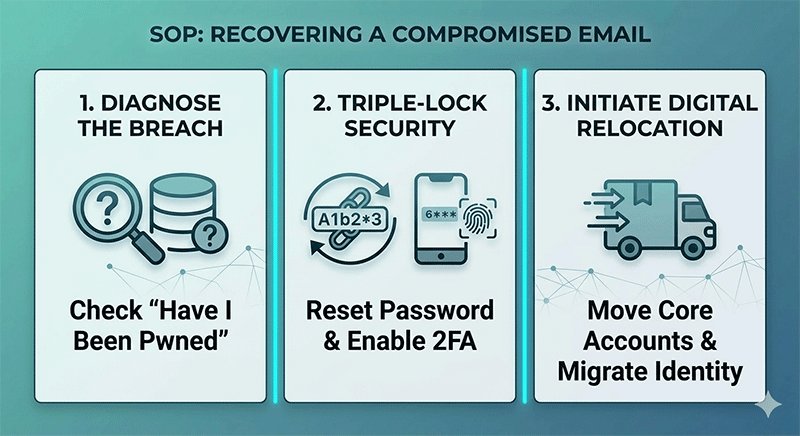
Discovering that your information is on the dark web is stressful, but in 2026, it is a reality for millions. If you suspect your data has been leaked, follow this Standard Operating Procedure (SOP) to contain the damage and reclaim your email privacy.
Step 1: Diagnose the Breach with "Have I Been Pwned"
Your first stop should be Have I Been Pwned. This industry-standard tool aggregates data from thousands of breaches.
- The Goal: Identify which specific service leaked your data and what was stolen (e.g., passwords, phone numbers, or physical addresses).
- 2026 Tip: Sign up for their "Notify Me" service. In an era of automated hacks, knowing about a breach within minutes rather than months is vital for email security.
Step 2: The "Triple-Lock" Security Reset
Once you know you've been "pwned," you must act within the first hour:
- Change Your Master Password: Update your email password to a 16+ character unique string using a password manager.
- Force Logout: Use the "Sign out of all other sessions" feature in your mail settings to kick any active hackers off your account.
- Mandatory 2FA: If you haven't already, enable Two-Factor Authentication (2FA). In 2026, avoid SMS-based codes (which are vulnerable to SIM swapping); use an authenticator app or a hardware key like a YubiKey.
Step 3: Migration SOP (Moving to a Secure Inbox)
If your primary email is overwhelmed by spam or has been involved in multiple high-stakes breaches (like banking or government leaks), it may be time for a "Digital Relocation."
- Phase 1: The Clean Room. Create a new, secure inbox (e.g., Proton Mail) that you never use for social media or shopping.
- Phase 2: Tiered Migration. Move your most sensitive accounts (Banking, Health, Work) to the new address first.
- Phase 3: The Buffer. For all other non-essential sites, replace your leaked email with a disposable email or an alias from a service.
- Phase 4: The Sunset. Keep the old email for 3-6 months with an "Auto-Reply" notifying legitimate contacts of your move, then deactivate it permanently.
Note: Do not simply delete your old account immediately, as spammers can sometimes "recycle" old usernames to impersonate you.
FAQ: Solving Your Toughest Email Privacy Questions
In the rapidly changing landscape of 2026, many users share the same concerns about how to stop spam emails while maintaining a balance between convenience and online privacy. Here are the expert answers to the most pressing questions.
Are temporary emails safe for sensitive accounts?
No. It is important to understand that a temporary email is a shield, not a vault. While services like TempEmail.cc are incredibly safe for bypassing marketing spam and downloading resources, you should never use a disposable email for sensitive accounts like online banking, government services, or primary social media. These accounts require long-term access for password resets and security notifications, which a temporary inbox cannot provide. Use them as a "firewall" for non-essential sign-ups only.
Can AI help me write email filters?
Absolutely. One of the best email privacy tips for beginners in 2026 is leveraging AI to manage your inbox. You can ask an AI assistant: "Write a Gmail filter expression to skip the inbox for any email containing the words 'discount', 'unsubscribe', or 'limited time offer' but keep emails from my contacts." You can then copy-paste these expressions into your mail settings to create a highly customized, secure inbox.
Why am I getting spam from my own email address?
This is a common tactic known as Email Spoofing. Spammers manipulate the "From" field in the email header to make it appear as though the message originated from your own account. They do this to bypass simple spam filters and create a sense of panic (e.g., claiming your account is hacked).
- The Reality: Your account likely hasn't been accessed; the spammer is just "masking" their identity.
- The Fix: Check the "Original Header" of the email to see the actual sender's IP and domain. Modern email security protocols like DMARC are designed to catch these, so ensure your provider supports them.
How to prevent spam using temp email effectively?
To prevent spam using temp email, make it a "default" habit. Before typing your real address into any website, ask yourself: "Do I need to hear from this company in six months?" If the answer is no, use Temp Email.
- Generate a temporary address.
- Receive your confirmation code.
- Close the tab. By treating your real email address as "Confidential Information" and your disposable email as your "Public ID," you eliminate the source of spam at the root.
Conclusion: Reclaiming Your Inbox Sovereignty
Stopping spam emails in 2026 is no longer about a single setting or a "magic" unsubscribe button; it is about building a modern defense-in-depth strategy. By combining advanced technical tools with consistent digital hygiene, you can transform your inbox from a source of stress into a streamlined, secure inbox.
The most critical takeaway is the shift in your digital identity management. Your primary email address should be treated like your home address—shared only with those you truly trust. For everything else, utilize the power of anonymous email and aliasing. As we have explored, integrating a temporary email service into your daily browsing habit is the most effective "firewall" against the 2026 spam landscape. It allows you to explore the web, download resources, and test services without ever leaving your real identity exposed to data brokers or AI-driven scrapers.
Take the first step today: The next time a website asks for your email for a one-time download or a discount code, don't give away your privacy. Visit TempEmail.cc, generate a disposable email in seconds, and experience the peace of an inbox that stays under your control.