Email is still the backbone of digital communication—but it has also become one of the most exploited entry points for cyberattacks. From phishing and credential theft to business email compromise, attackers increasingly rely on human behavior rather than technical vulnerabilities.
In 2026, email threats are no longer obvious scams. They are highly personalized, context-aware, and often indistinguishable from legitimate communication.
This guide breaks down how modern email attacks work and the practical steps you can take to reduce risk across personal and business environments.
What Is Email Security
Email security refers to the combination of technologies, policies, and user behaviors designed to protect email communication from unauthorized access, interception, spoofing, and data theft. It includes everything from encryption protocols and authentication systems to spam filters and user verification habits.
In real-world usage, email security is not a single layer. It is a stack of protections that work together, and the weakest link is often human behavior rather than technology. This is why best practices for email security focus equally on systems and user decision-making rather than relying on software alone.
A modern email security model typically includes transport encryption (TLS), sender authentication (SPF, DKIM, DMARC), endpoint protection, and behavioral detection. However, none of these are fully effective if users ignore basic best practices for email security, such as verifying sender identity or avoiding suspicious links.
Why Email Security Is Critical in 2026
The importance of best practices for email security has increased sharply due to how cyberattacks have evolved. Attackers no longer rely on poorly written scam emails. Instead, they use AI-generated messages that closely mimic tone, formatting, and even internal company language patterns.
One major shift is the rise of “context-aware phishing.” These attacks are built using publicly available information from social media, company websites, and breached databases. The result is an email that feels familiar enough to bypass instinctive suspicion.
Another factor is the increasing integration of email with financial workflows. Invoice approvals, password resets, contract sharing, and cloud access all depend on email verification. A single compromised inbox can lead to multi-system breaches.
This is why organizations now treat best practices for email security as part of operational risk management rather than just IT policy. The cost of ignoring it is no longer just spam—it is financial loss, legal exposure, and reputational damage.
How Email Attacks Work
Most email attacks follow a structured psychological and technical sequence. Understanding this helps reinforce best practices for email security beyond surface-level awareness.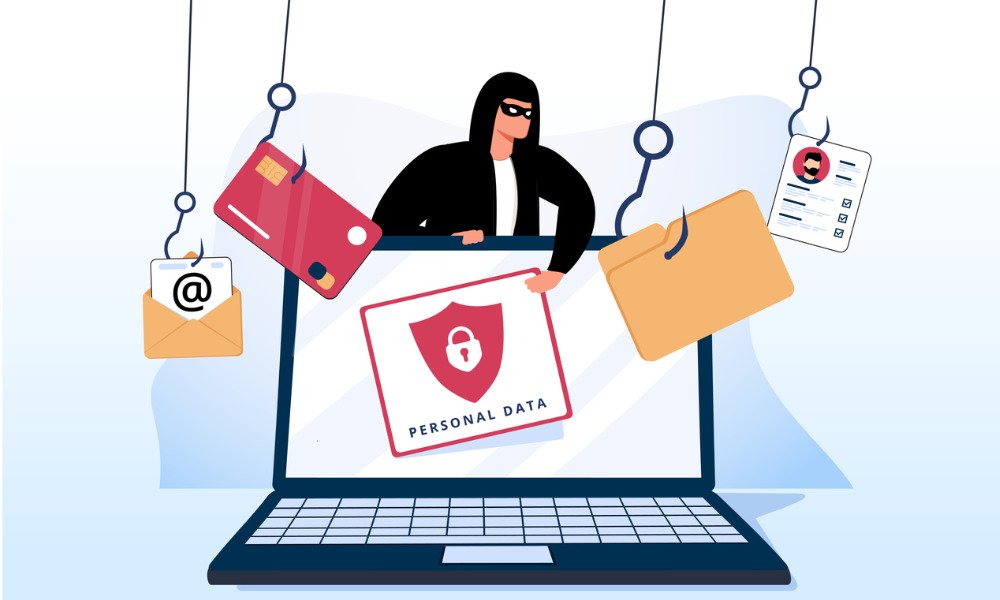 First, attackers collect target data. This can include job roles, company structure, vendor relationships, and even travel schedules. The goal is to create context that makes the message believable.
Second, they craft a message designed to reduce critical thinking. This often involves urgency (“payment overdue”), authority (“CEO request”), or fear (“account suspension”). These emotional triggers are intentionally chosen to bypass rational evaluation.
Third, the attack is delivered through one of three channels: a malicious link, a fake login page, or an infected attachment. Once interaction occurs, attackers either capture credentials or install persistent malware.
What makes modern attacks dangerous is that they no longer rely on obvious mistakes. Even trained users can be tricked if best practices for email security are not consistently applied in real time.
Common Email Security Threats You Should Know
Understanding threat types is essential before applying any protection strategy.
Phishing and Credential Theft
Phishing remains the most common attack method. It typically involves fake login pages that mimic services like Google Workspace, Microsoft 365, or banking portals.
Modern phishing is dangerous because attackers now register domains that closely resemble real ones (for example, replacing “o” with “0” or adding subtle suffixes). Without careful inspection, these differences are easy to miss.
Spear Phishing and Targeted Social Engineering
Unlike generic phishing, spear phishing targets specific individuals or departments. These emails often include accurate internal details such as project names or meeting references.
Because of this personalization, traditional spam filters often fail to detect them. The success of these attacks depends entirely on psychological manipulation rather than technical flaws.
Business Email Compromise (BEC)
BEC attacks are among the most financially damaging email threats. Attackers impersonate executives, vendors, or legal partners to request wire transfers or sensitive document sharing.
These emails usually contain no malware, which allows them to bypass most automated filters. The only defense is strict verification procedures outside of email itself.
Malware and Malicious Attachments
Attachments remain a common infection vector. Files may appear as invoices, contracts, or resumes but contain hidden scripts or executable payloads.
Modern malware often activates later, meaning the system may appear normal initially while data is being silently extracted in the background.
Email Spoofing
Spoofing attacks manipulate sender information so that emails appear to come from trusted domains. Without proper authentication checks, users may never notice anything unusual.
This is why SPF, DKIM, and DMARC configurations are critical—but even then, user verification is still required.
Email Attack vs Defense Map (Practical Overview)
| Attack Type | Primary Goal | How It Works | Best Defense Action |
|---|---|---|---|
| Phishing | Steal credentials | Fake login pages | Verify domain + use password manager |
| Spear Phishing | Target individuals | Personalized social engineering | Cross-channel verification |
| BEC | Financial fraud | Executive impersonation | Payment verification outside email |
| Malware Attachments | System compromise | Hidden scripts in files | Disable auto-download + scan files |
| Spoofing | Identity deception | Fake sender domain | SPF/DKIM/DMARC validation |
Top 8 Best Practices for Email Security
These practices for email security are based on real attack patterns observed across consumer and enterprise environments.
1. Rely on password managers instead of human memory
One of the most common failure points in email protection is predictable or reused passwords. Even today, many breaches happen because users recycle credentials across multiple platforms.
A password manager eliminates this issue by generating long, random, and unique passwords for every account. It also reduces friction, making strong credential hygiene sustainable rather than inconvenient. In practice, this removes one of the biggest entry points attackers rely on: password reuse across leaked databases.
2. Use phishing-resistant multi-factor authentication
Basic SMS verification is no longer considered sufficient in higher-risk environments. SIM swapping and interception techniques have made text-based codes less reliable.
More secure options include authenticator apps or hardware security keys. These methods bind authentication to physical devices, making remote takeover significantly harder. In real-world breach analysis, accounts with strong MFA are rarely compromised unless users approve malicious prompts manually.
3. Validate the sender beyond what the email displays
Modern phishing emails often look identical to legitimate communication, especially when only the display name is checked. Attackers frequently spoof familiar names while using completely different domains.
A safer approach is to examine the full sender address and, when necessary, inspect email headers. In corporate environments, even internal-looking emails should be treated cautiously if they request sensitive actions. This habit alone eliminates a large percentage of successful impersonation attempts.
4. Treat urgency as a red flag, not a priority
One of the most consistent psychological triggers in email-based attacks is urgency. Messages that demand immediate action—such as urgent payments, password resets, or account verification—are designed to bypass rational review.
Legitimate organizations rarely require instant action through email alone. A safer approach is to pause and verify the request through a separate communication channel, such as a known phone number or internal messaging system. Attackers depend on rushed decisions; slowing down is often enough to stop the attack chain.
5. Inspect links before interacting with them
Many phishing campaigns succeed because users trust what they see visually rather than where the link actually leads. Malicious URLs often mimic legitimate domains with small variations that are easy to miss.
Hovering over links on desktop or long-pressing on mobile reveals the true destination. In more advanced attacks, shortened links hide the final URL entirely, making previewing even more important. Some organizations also deploy secure link rewriting systems that scan destinations before allowing access.
6. Separate email usage based on risk level
Using a single email address for everything increases exposure significantly. If one service is compromised, attackers may gain access to other unrelated accounts.
A more resilient approach is segmentation: one email for financial services, another for professional communication, and a third for low-trust signups. This structure limits the blast radius of any single breach and reduces long-term exposure from data leaks.
7. Use disposable emails for low-trust registrations
Many websites request email verification but do not require long-term communication. In these cases, exposing a primary inbox increases spam, tracking, and potential data resale risk.
Temporary email services like Tempemail.cc allow users to generate short-lived inboxes for one-time use. This is especially useful when testing platforms, downloading resources, or signing up for services that are not fully trusted. It keeps the main inbox cleaner and reduces unnecessary attack surface.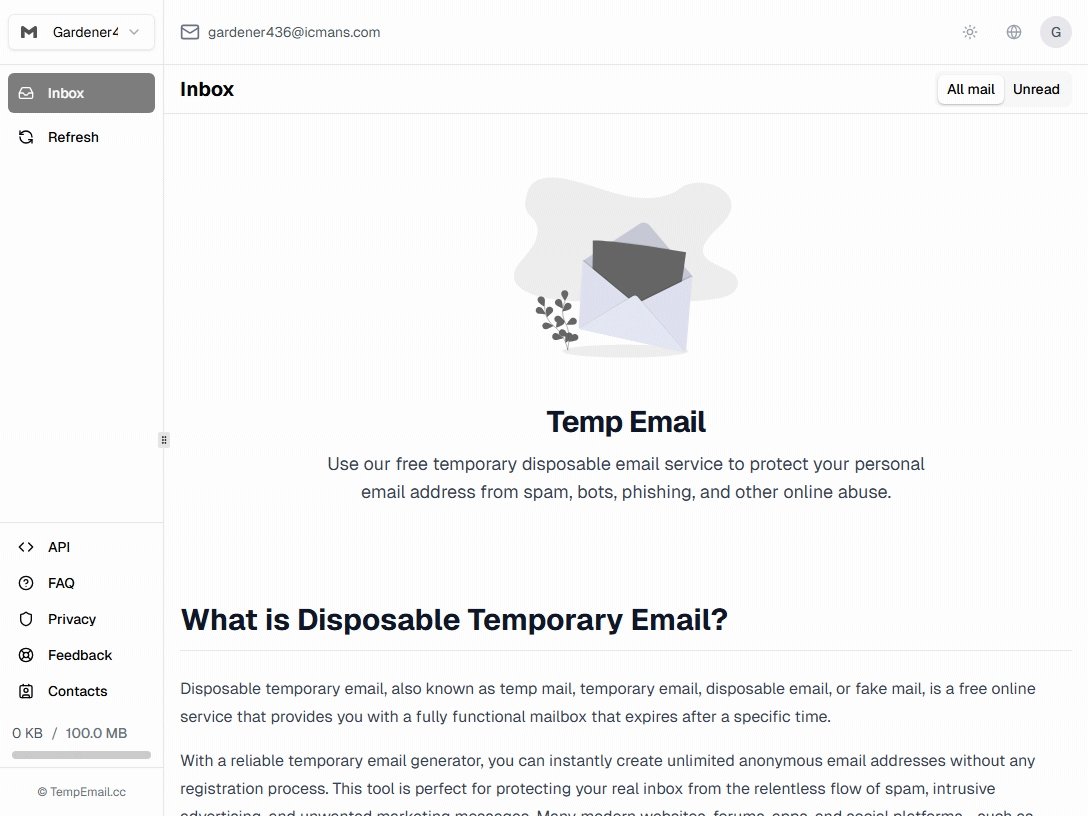
8. Actively monitor account activity and connected services
Email security is not a “set and forget” setup. Many compromises remain unnoticed for weeks or even months because attackers avoid immediate detection.
Regularly checking login history, forwarding rules, and connected third-party applications can reveal silent compromises early. Unexpected rules that forward emails externally or unfamiliar device logins are often early indicators of intrusion. Routine monitoring turns passive protection into active defense.
Advanced Email Security Strategies for Businesses
Enterprise email security requires more than user awareness. It involves layered defense architecture, policy enforcement, and continuous monitoring. These advanced tips are designed to reduce both human error and system vulnerability.
Strengthen Domain Authentication with SPF, DKIM, and DMARC
Email spoofing remains one of the most effective attack methods because it exploits trust. SPF, DKIM, and DMARC work together to verify that messages are genuinely sent from authorized servers and have not been altered in transit.
When correctly configured, these protocols significantly reduce impersonation attempts and help improve email deliverability. Organizations that enforce DMARC policies also gain greater visibility into unauthorized use of their domains.
Implement Risk-Based Access Controls
Traditional username-and-password protection is no longer sufficient for modern business environments. Risk-based access controls evaluate factors such as device reputation, geographic location, login behavior, and user risk scores before granting access.
For example, a login attempt from an unfamiliar country or unmanaged device can automatically trigger additional verification requirements or be blocked entirely. This adaptive approach reduces the likelihood of account takeover attacks.
Monitor User Behavior for Early Threat Detection
Many email breaches go unnoticed because attackers avoid obvious actions that would trigger alerts. Instead, they quietly create forwarding rules, access sensitive conversations, or collect credentials over time.
Behavioral analytics platforms can identify unusual activity patterns such as abnormal login locations, mass mailbox downloads, or unexpected permission changes. Detecting these anomalies early often prevents larger incidents from developing.
Conduct Continuous Security Awareness Training
Technology alone cannot eliminate email-based threats. Employees regularly interact with invoices, contracts, customer requests, and internal communications, making them a primary target for social engineering.
Regular phishing simulations and security awareness programs help employees recognize suspicious requests before acting on them. Over time, this creates a stronger security culture and reduces the likelihood of costly mistakes.
Develop an Email Incident Response Plan
Even well-protected organizations should assume that some attacks will eventually bypass defenses. A documented incident response process allows teams to react quickly when suspicious activity is detected.
The plan should define responsibilities, escalation procedures, account recovery workflows, and communication protocols. Faster response times can dramatically reduce financial losses and data exposure after an incident.
Tools and Technologies That Improve Email Security
Good security habits are essential, but the right tools can make email protection much easier. Instead of relying solely on manual vigilance, consider using a combination of security tools that address different risks.
Password Managers (e.g., 1Password, Bitwarden)
Password managers generate and store strong, unique passwords for every account. They also help prevent credential reuse, which remains one of the most common causes of account compromise.
Authenticator Apps (e.g., Google Authenticator, Microsoft Authenticator)
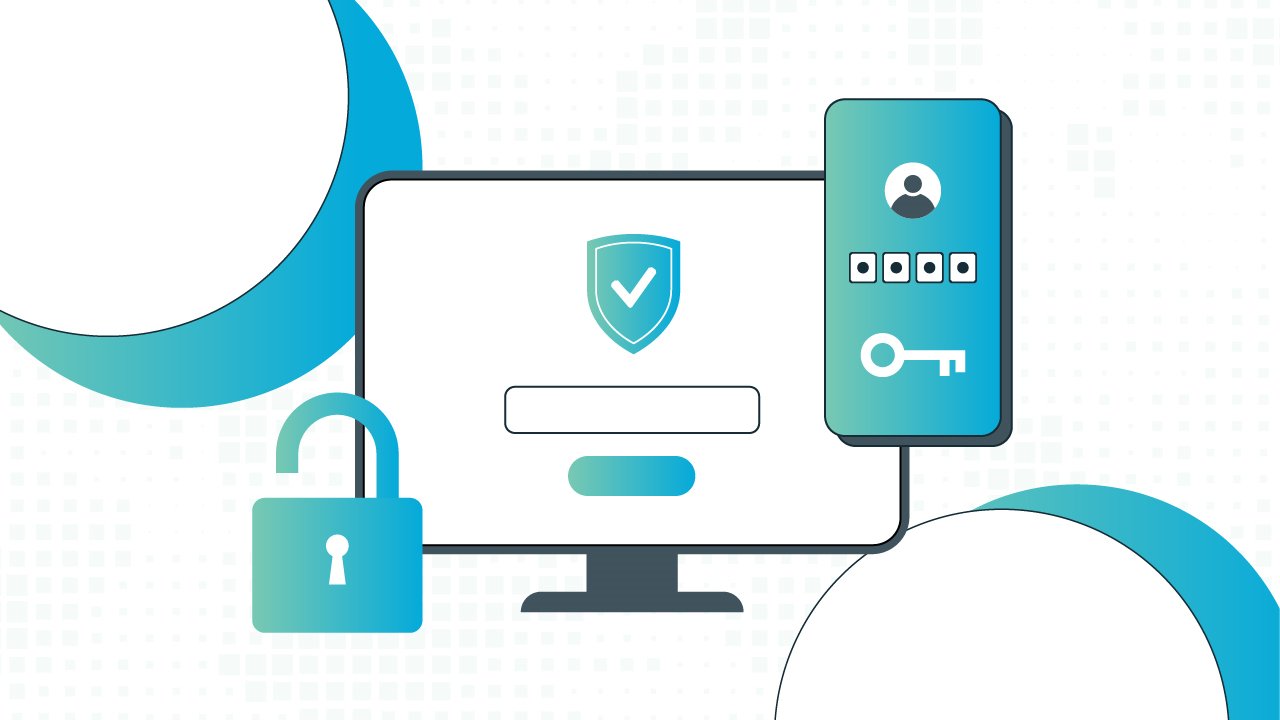 These apps provide multi-factor authentication codes that add an extra layer of protection beyond passwords. They are generally more secure than SMS-based verification.
Email Security Services (e.g., Mimecast, Proofpoint)
Businesses often use email security platforms to filter phishing attempts, malicious attachments, and spoofed messages before they reach employee inboxes.
Temporary Email Services (e.g., temp-mail.org, Tempemail.cc)
When registering on unfamiliar websites, using a temporary email address can help reduce spam and protect your primary inbox from unnecessary exposure. This is especially useful for one-time signups, free trials, and testing environments.
Breach Monitoring Tools (e.g., Have I Been Pwned)
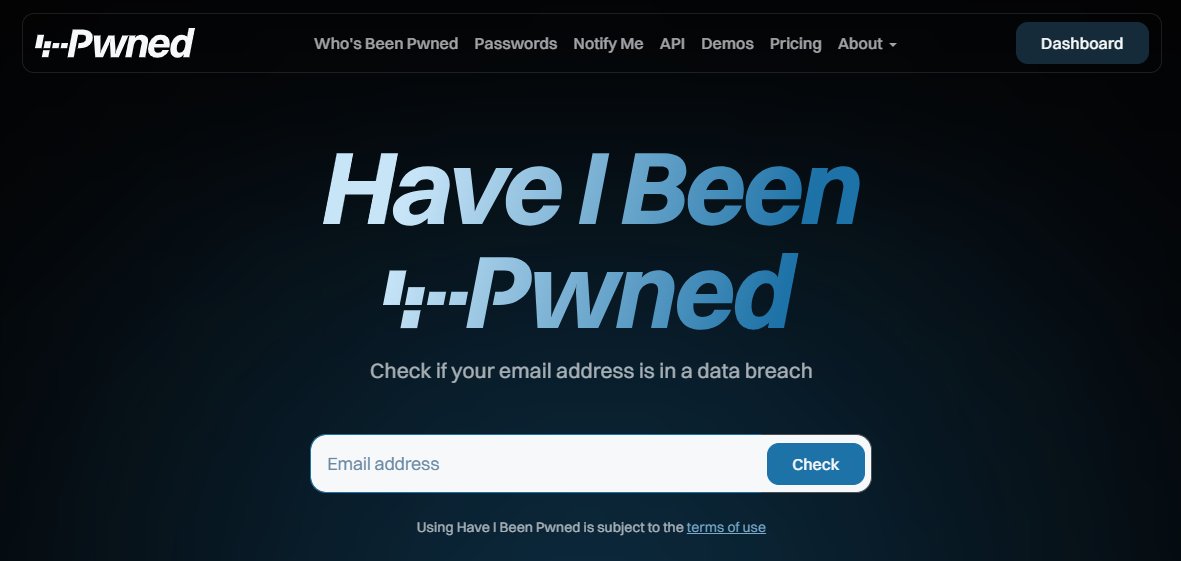 These services alert users when their email addresses appear in known data breaches, allowing them to update passwords and secure affected accounts quickly.
No single tool can prevent every email threat. The most effective approach combines strong authentication, secure password management, email filtering, and ongoing account monitoring to create multiple layers of protection.
Email Security FAQs
What are the most effective ways to secure an email account?
The strongest protection combines unique passwords, multi-factor authentication, cautious link verification, and regular account monitoring. No single security measure is enough on its own, which is why a layered approach is generally recommended.
Can phishing emails bypass spam filters?
Yes. Modern phishing campaigns are often highly personalized and may not contain obvious malicious content. Attackers frequently use trusted services, compromised accounts, or carefully crafted messages that appear legitimate, allowing some emails to reach inboxes despite advanced filtering systems.
Is multi-factor authentication really necessary?
Absolutely. Even if a password is stolen through a phishing attack or data breach, multi-factor authentication creates an additional barrier that significantly reduces the chance of unauthorized access. Authenticator apps and security keys are generally more secure than SMS-based verification.
How can I tell if my email account has been compromised?
Common warning signs include unfamiliar login activity, password reset notifications you did not request, unexpected forwarding rules, missing emails, or messages sent from your account without your knowledge. Any of these indicators should be investigated immediately.
Should I use a temporary email address for online registrations?
For low-trust websites, free trials, downloads, or one-time signups, temporary email addresses can help reduce spam and limit exposure of your primary inbox. However, they should not be used for important accounts that require long-term access, password recovery, or ongoing communication.
Final Thoughts
Email security in 2026 is defined less by tools and more by consistency. Attackers are evolving quickly, using automation and AI to bypass traditional detection methods. However, most successful breaches still depend on predictable human mistakes.
Applying best practices for email security is not about achieving perfect protection. It is about reducing exposure, slowing down attackers, and making exploitation significantly harder. When combined with modern authentication systems and security tools, these practices create a layered defense that holds up in real-world conditions.
The goal is simple: make email a controlled environment rather than an open entry point. And that starts with applying best practices for email security consistently across every account, device, and interaction.